Organisation SettingsBrands & RegionsCentralised or Per-Site Billing
One site or hundreds. Structured around your brands and regions.
Give head office group-wide standards and visibility while giving each brand, region, and local manager the exact workspace they need.
Whether you operate a corporate real-estate portfolio, a multi-brand hospitality or retail group, a healthcare network, or a franchise system, Organisation Settings models how your business actually works. Group locations into Brands and Regions, control which modules and menu items each brand sees, automate regional public holidays, and decide whether the organisation pays centrally or each facility pays for itself.
- Organisation · Brand · Region · Facility
- Who Pays central or per-site billing
- Per-facility billing exceptions
- Brand modules & side-menu templates
- Nightly public holiday sync
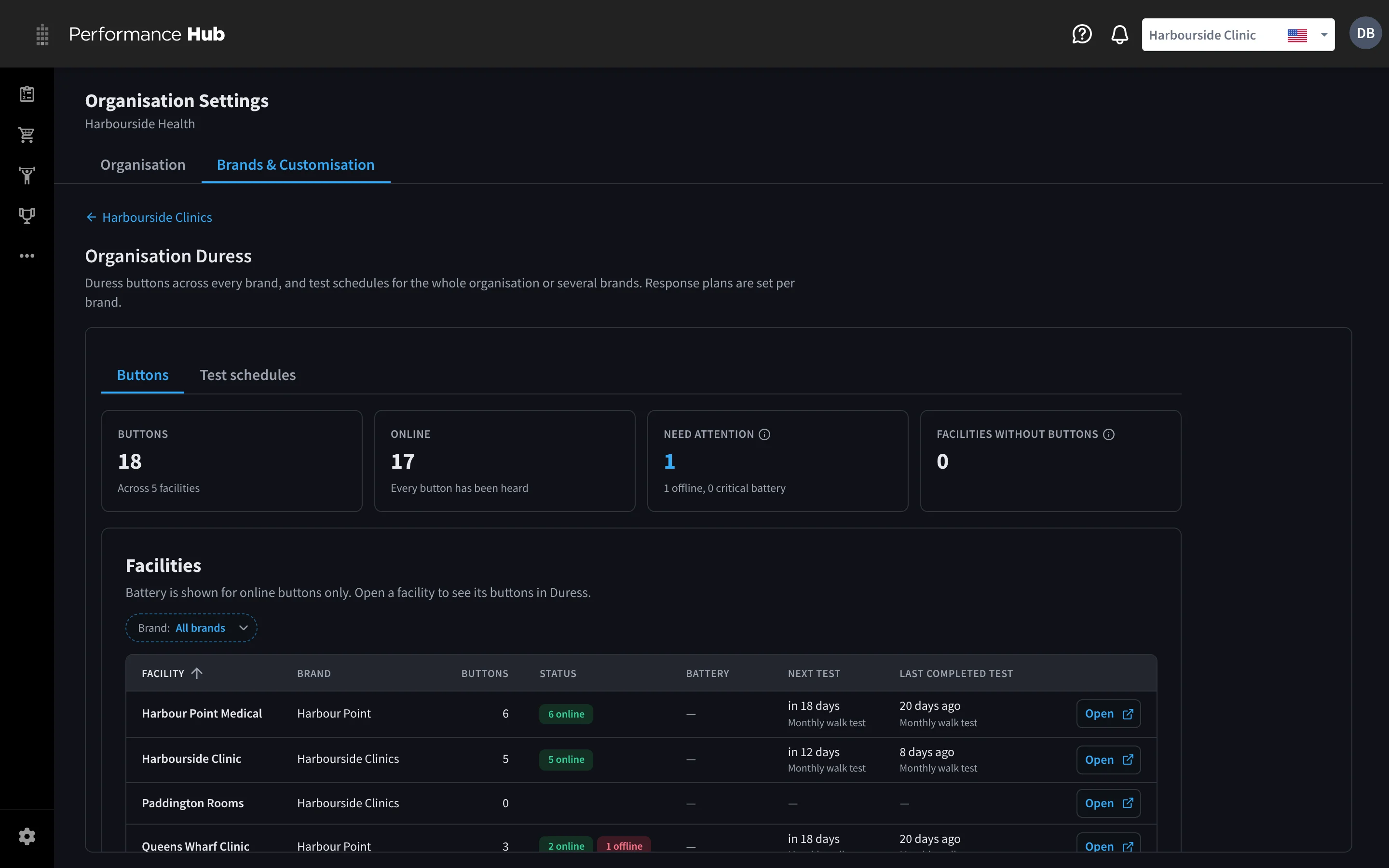
Organisation Settings · Multi-Brand & Portfolio Governance
Organisation · Brand · Region · FacilityFour-Tier StructureOrganisationBrandRegionFacility
Mirror how your group is organised in the real world.
Everything in Performance Hub belongs to an Organisation. Inside it, you can run a single brand or several distinct brands, group sites geographically by region, and onboard or archive individual facilities without cross-tenant clutter.
Organisation
Top-level groupLegal entity, default modules, and group governance.
Holds your company's legal entity, registered and billing addresses, named account contacts, organisation-wide module defaults, public holiday rules, and consolidated cost visibility across every site.
Brands
Shared identity & defaultsSeparate defaults for each concept or operating division.
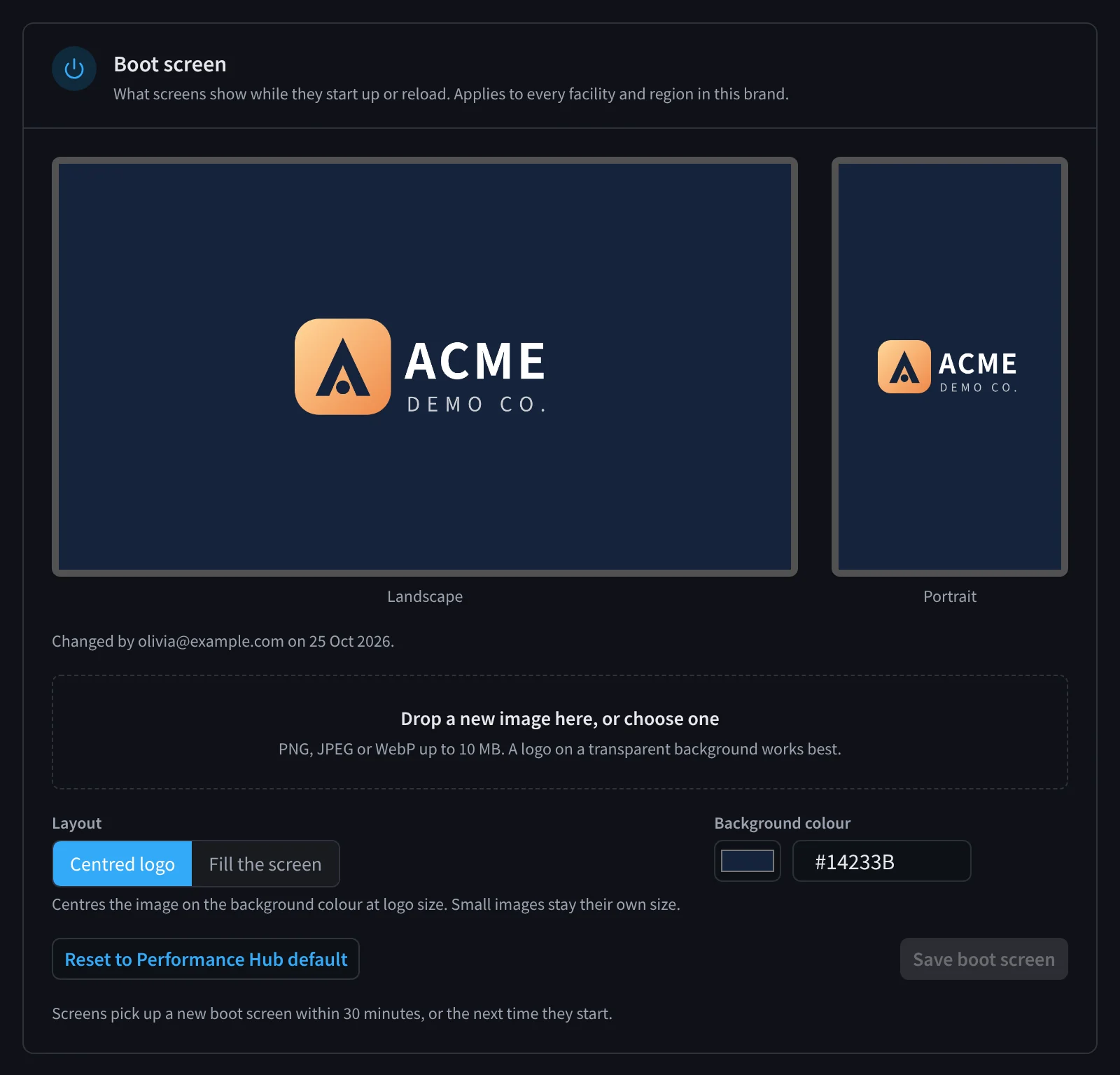
A hospitality group's cafe brand and hotel brand, or a healthcare operator's clinics and imaging centres, each get their own redirect dashboard, custom module set, side-menu templates, boot screens, and response templates.
Regions
Geographic groupingAutomatic coverage as you open sites in a state or country.
Group facilities by state, territory, or country. Regional public holidays and region-scoped roles cover newly added facilities in that region automatically without manual re-assignment.
Facilities
Individual physical sitesLocal details, operating hours, cost centres, and safe archival.
Each office, store, venue, campus, warehouse, or club has its own address, operating hours, cost centre, and optional module overrides. Removed facilities are hidden immediately and remain restorable by an admin during the recovery window.
Organisation BillingWho Pays by DefaultPer-Facility ExceptionsBudgets & Statements
Head office pays, each site pays for itself, or mix both with exceptions.
A corporate group that pays centrally for all its offices has a very different commercial structure from a franchise network whose stores pay their own way, or a medical group with a few partner-run clinics. Who Pays in Organisation Settings supports all three.
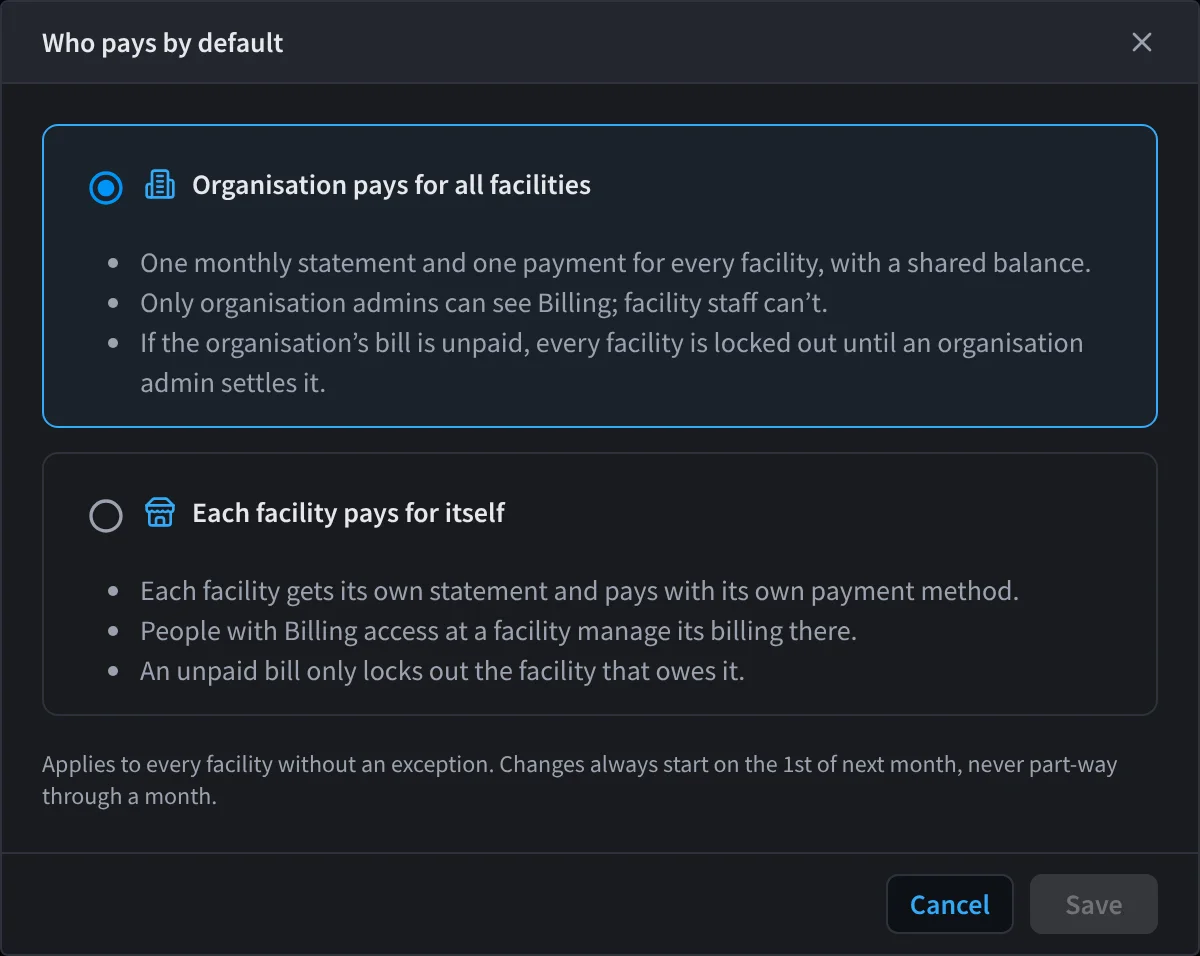
Organisation Settings · Billing · Who Pays by Default
1st of Next Month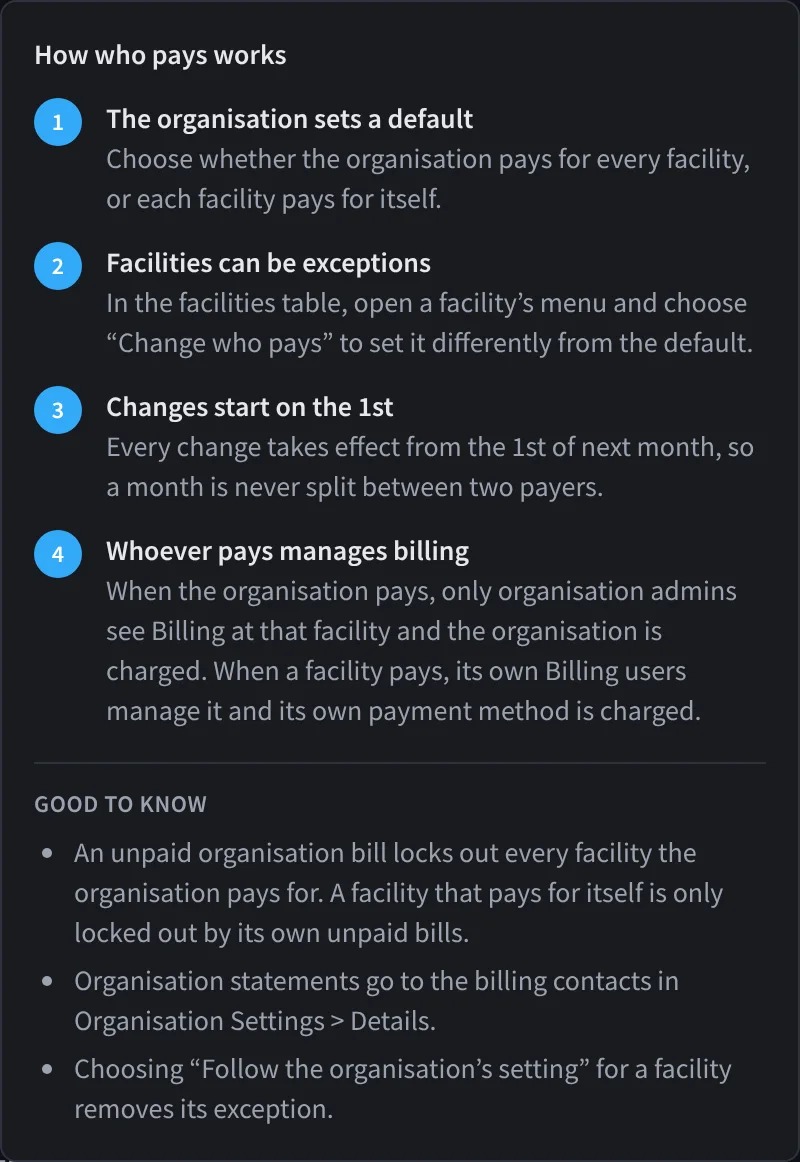
Billing · How Who Pays Works
Defaults & ExceptionsOrganisation pays vs. Each facility pays for itself.
Default PayerWhen the Organisation pays, every covered facility rolls onto one monthly statement paid from a shared balance or payment method, and local facility staff never see Billing in their menu. When Each facility pays for itself, each site gets its own statement, payment method, and Billing & Cost Management menu.
Per-facility exceptions & isolated lockouts.
Franchise & JV ReadyOverride the default for any single site (Follow the organisation's setting, The organisation pays for this facility, or This facility pays for itself). When a facility pays for itself, an unpaid bill only ever locks out that single location, never the rest of your network.
Changes always start on the 1st of next month.
Zero Split MonthsScheduled changes to who pays take effect on the 1st of the following month so a billing period is never split between two payers. Until then, the current payer continues, and admins can review or cancel pending changes in one click.
Group-wide Overview, Budgets, Cost Centres & PO numbers.
Financial VisibilityWhoever pays, organisation admins see every facility's month-to-date spend, projected month-end total, and 12-month usage history on Overview & Facilities and Insights. Filter or group rows by Brand, Country, or Cost centre, assign organisation or per-site PO numbers, set monthly budget alerts, and bulk-download statements, invoices, receipts, and CSVs.
Brands & CustomisationBrand ModulesSide Menu TemplatesShared Rollouts
Standardise every brand centrally. Let local managers run their floor.
Give each brand in your organisation its own module allowlist, navigation layout, visual identity, and operational templates so standing up your twentieth location is as fast as your first.
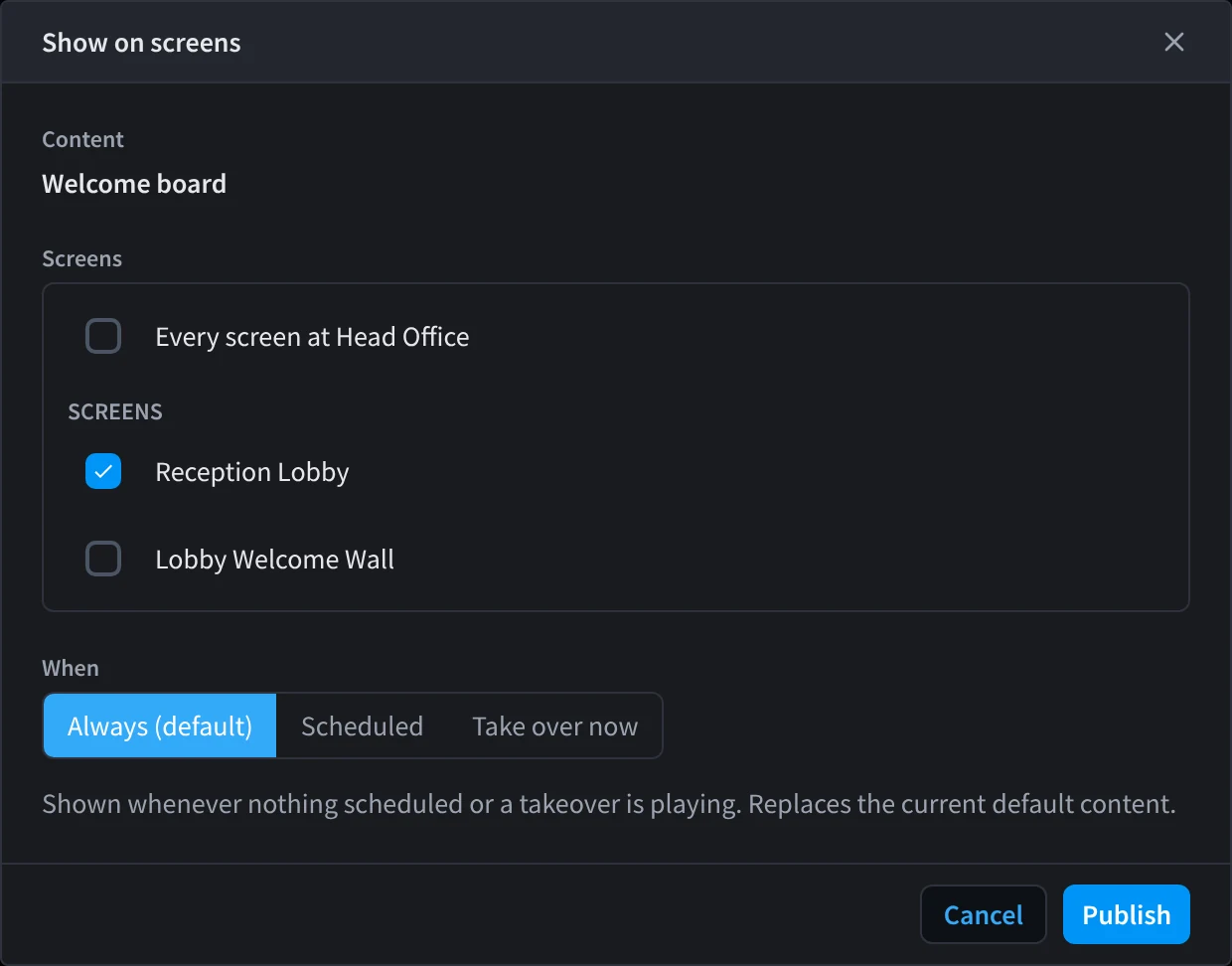
Brands & Customisation · Brand Modules & Side Menus
Organisation · Brand · FacilityTailor which modules and menu items each brand and facility sees.
Available modules resolve in order from Organisation to Brand to Facility. Give an unstaffed brand or a clinical division its own custom module set (Only selected modules or All modules except) and custom landing page (Redirect Dashboard).
- Brand side-menu templates: Create a Default menu template plus additional templates per brand (for example, one menu for high-street retail stores and another for regional warehouses) and preview the menu as any facility.
- Smart, Always, More & Hidden placement: Set each module or published app to Smart (promoted to the main menu automatically once a site uses it), Always, More, or Hidden (removed from the menu and global search).
- Custom staff links & one-click reset: Add custom internal links (such as staff rotas, safety inductions, or booking portals) scoped by region or facility, and reset any facility that saved its own custom menu back to the brand template.
Group Finance · Franchise Billing · Brand Operations · Escalation
Connect head-office finance, ERP, and brand communication tools.
Reconcile consolidated or per-facility statements and automate brand-wide rollouts across your accounting, payment, ERP, and team collaboration stack.
 Xero
 QuickBooks
 Stripe
 Square
 Airwallex
 Brex
 Coupa
 Google Workspace
 Microsoft 365
 Slack
 PagerDuty
Organisation SettingsHoliday ManagementAutomatic Nightly Sync
National and regional public holidays, synced nightly for every site.
When you operate across multiple states, territories, or countries, keeping public holiday calendars accurate by hand is error-prone. Holiday Management in Organisation Settings automates public holidays across your entire portfolio.
Matched automatically to each facility's country and region.
Location-AwareNational public holidays are added to every facility in that country, while state or regional public holidays are added only to facilities in that specific region.
Refreshed nightly and applied two months in advance.
Automated RolloutPublic holiday calendars for the current and upcoming year are refreshed every night (with email notifications to organisation admins when new holidays appear) and added to each facility's Holiday Hours two months before the date using that site's Default Holiday Hours.
Toggle off or rename holidays centrally.
Central ControlAuto-add is on by default for every holiday. If your stores, offices, or clinics trade normally on a regional show day or bank holiday, switch it off or rename it once in Holiday Management so it won't be added to your facilities' holiday hours.
Paired with region-scoped roles and Enterprise Directory.
Identity & ScopeCombine regional holiday automation with region-scoped IAM roles and Active Directory or enterprise directory integrations (Enterprise, POA) so regional teams and calendars scale together.
Common QuestionsMulti-Site & Brand Management
Common questions.
Answers on centralized vs. per-facility billing, exceptions, module inheritance, brand side menus, and public holiday management.
Can head office pay for corporate sites while franchisees pay for their own facilities?
Yes. In Organisation Settings under Billing, you set Who pays by default (Organisation pays for all facilities or Each facility pays for itself) and mark any individual facility as an Exception. Every change to who pays starts on the 1st of next month so a billing month is never split between two payers. Regardless of who pays, organisation administrators can still view every facility on the consolidated Overview and Insights tabs.
What happens if a single self-paying franchisee has an overdue bill?
When a facility is set to pay for itself, its billing and payment method are isolated to that site: an unpaid bill only locks out that single facility, never the rest of the brand or organisation.
How do Organisation, Brand, and Facility module settings interact?
Available modules resolve in order from Organisation to Brand to Facility. Organisation Settings defines the modules enabled for your group; a Brand can narrow or customise that list for its facilities (Only selected modules or All modules except); and an individual Facility can further customise its own modules or reset back to its brand defaults at any time.
How do Brand Side Menu templates work across different types of sites?
Each brand has a Default template plus additional custom menu templates that you can assign to specific facilities (for example, giving retail storefronts one menu and distribution centres another). Each item can be set to Smart (shown on the main menu once the facility actively uses it), Always, More, or Hidden (which removes it from the menu and from Search or jump to). Admins can also add custom links scoped by region or facility and reset any site that saved a local menu.