Offices & Corporate Workplaces
Run every floor smoothly from morning arrival to late-night cleaning.
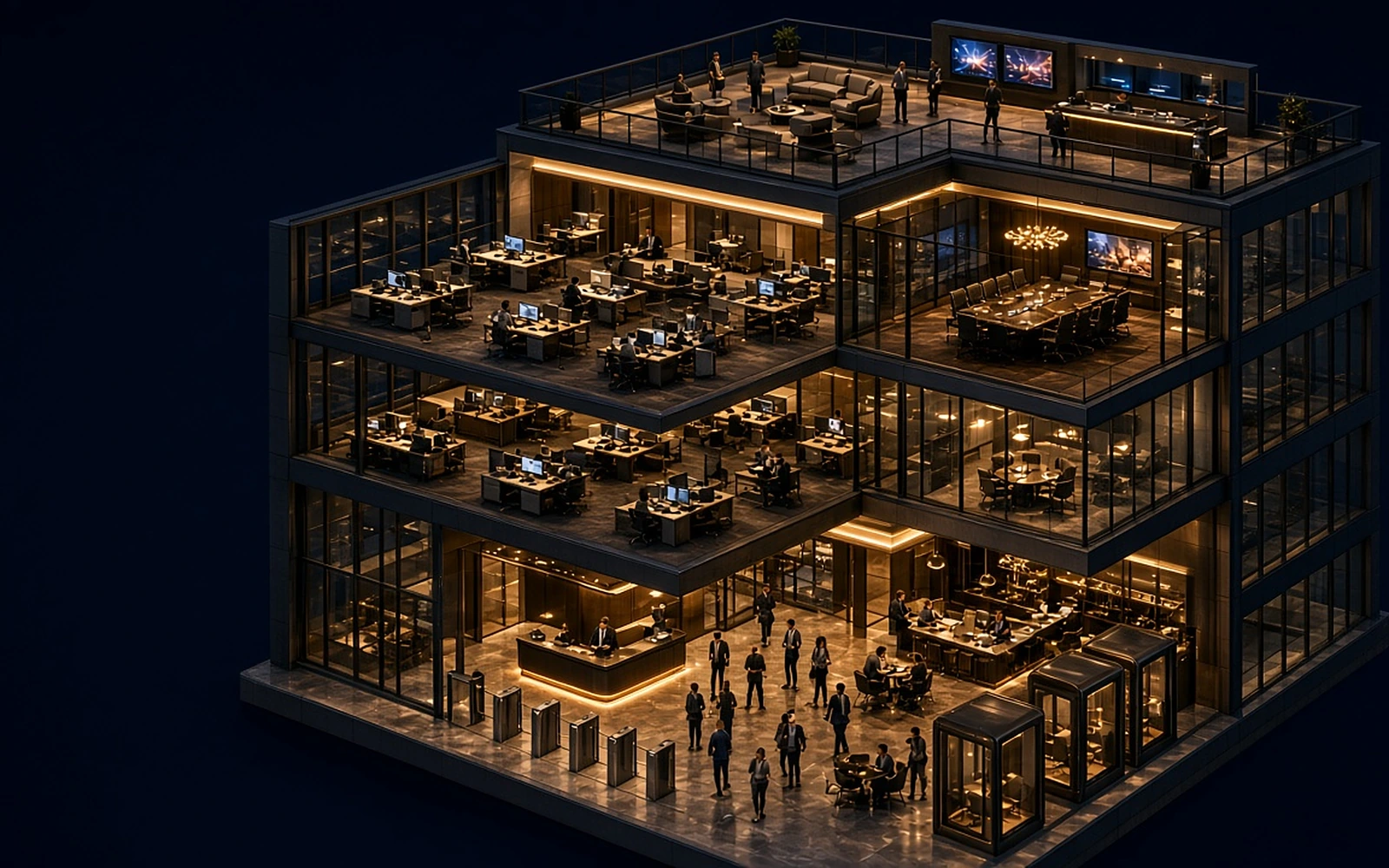
Front desks juggle guest badges and courier arrivals, facilities teams chase contractor keys after business hours, and workplace leaders wait days to see which floors actually fill up. Performance Hub brings turnstiles, lobby displays, corridor cameras, desk duress buttons, and your workplace Agent into one system driven by your office hours.
Guided setup included: we configure your workflows, operating hours, and hardware with you.
Workplace Challenges Solved
Built for hybrid attendance, contractor turnover, and lean front desks.
Modern offices shift from crowded mid-week town halls to quiet Friday afternoons. Replace key drawers and disconnected vendor portals with rules that adapt around your real occupancy.
Lost keycards & manual sign-in
Touchless staff and guest entry
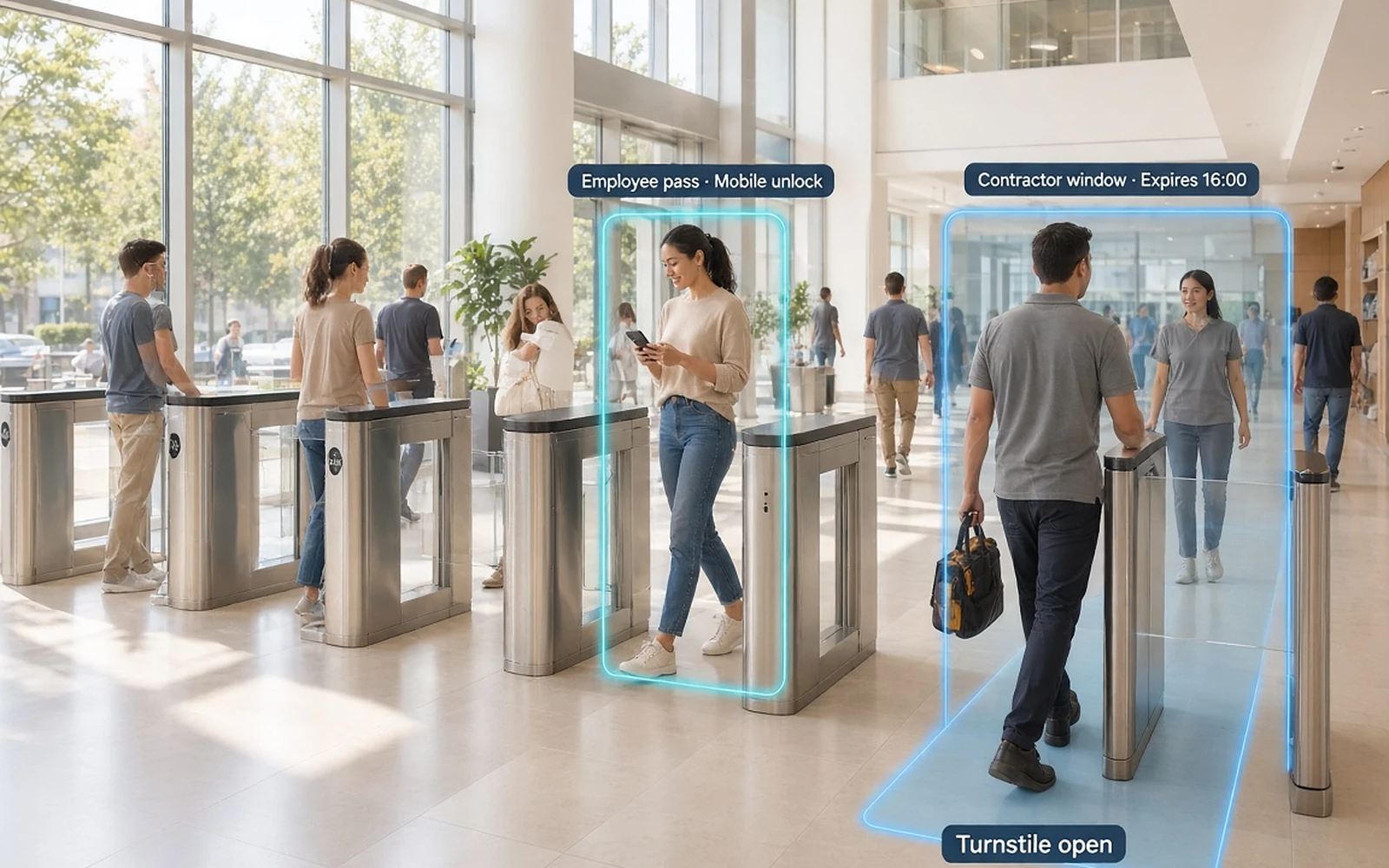
Employees unlock lobby turnstiles, lifts, and comms rooms from Mobile or watch, while arriving guests trigger instant reception greetings.
After-hours contractor sprawl
Expiring cleaning & vendor windows
Grant evening cleaners and maintenance engineers scheduled entry for exact dates and rooms so temporary access ends automatically.
Blind space planning
Real floor and lounge utilisation
Measure breakout demand and corridor flow on your existing cameras so real-estate decisions rely on actual attendance rather than guesswork.
Siloed workplace requests
Answers in one conversation
Facilities and IT leads ask the Agent which rooms sit empty, who holds active vendor passes, or why a door stayed propped open.
A Day Across Your Office
How the building responds from morning arrival to after-hours lockup.
See how receptionists, employees, cleaners, and workplace leads experience Performance Hub at key moments across the workday.
 Reception & Entry
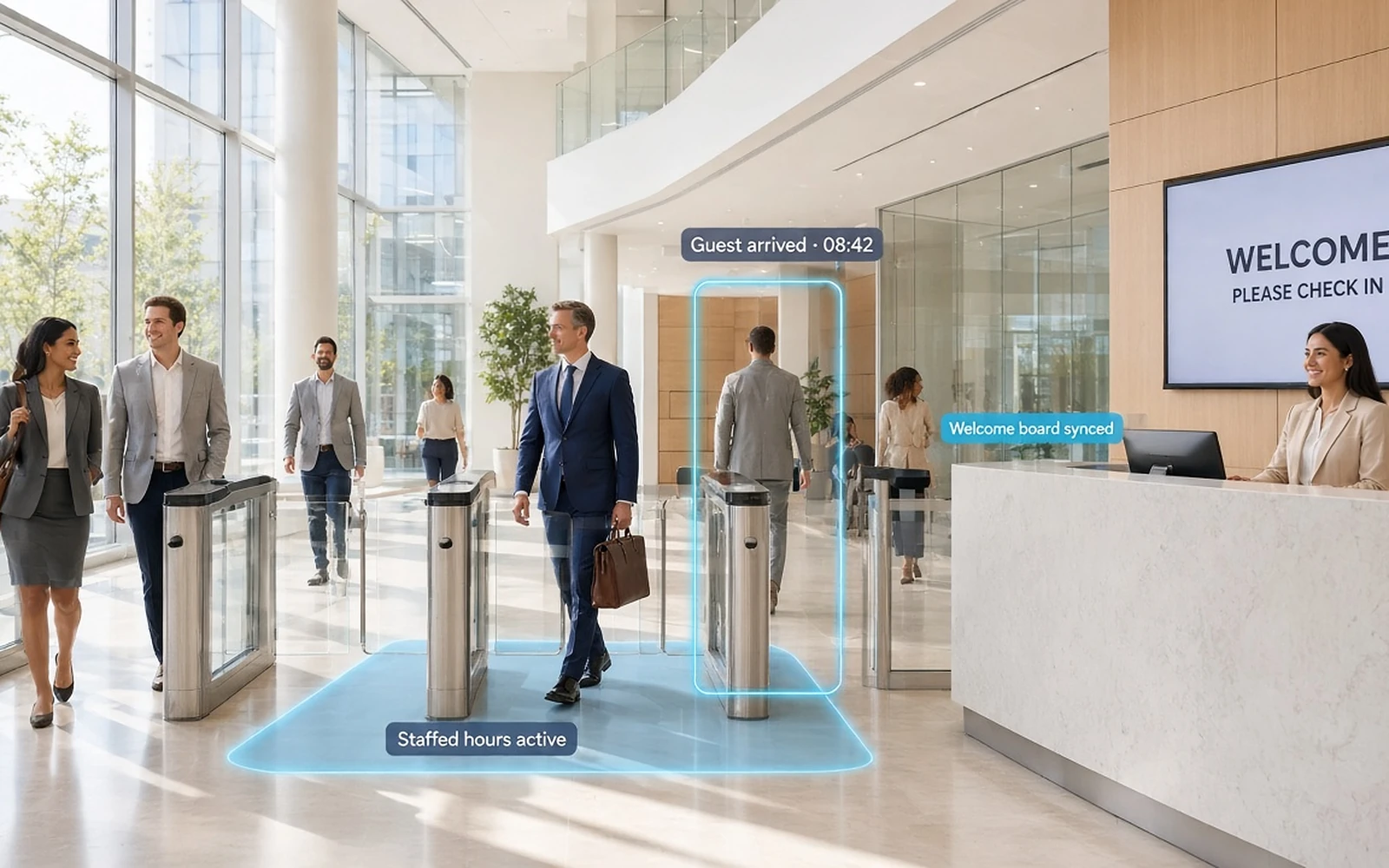
Reception opens on schedule while guests are greeted by name
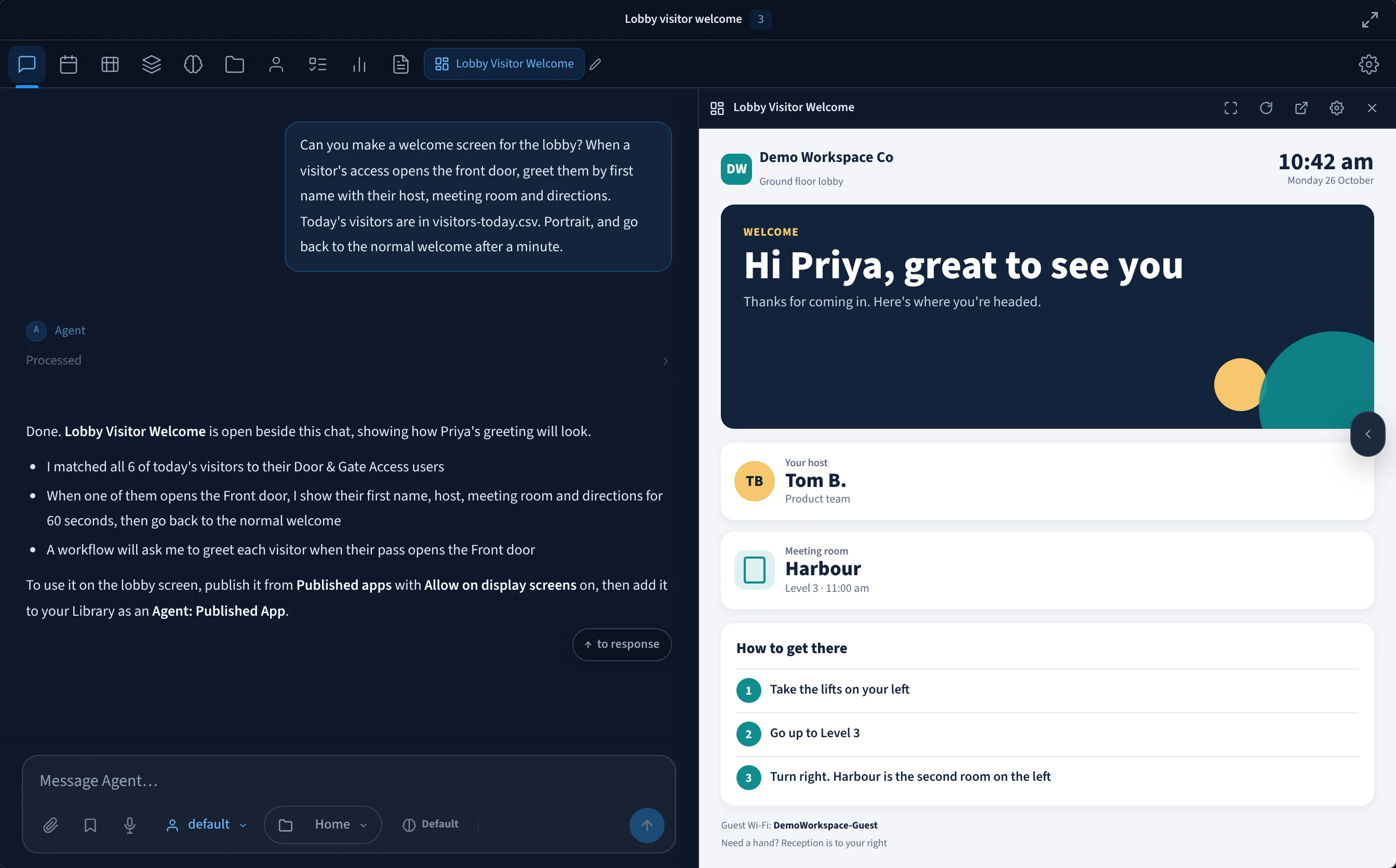
At opening time, main lobby doors shift cleanly from Mobile-only entry to open staffed hours. When an expected client unlocks the lobby turnstile on Mobile, the reception screen displays a tailored welcome with their host name and meeting floor without exposing private guest records.
- Staffed-hours door schedule
- Live lobby welcome board
- Private guest data protection
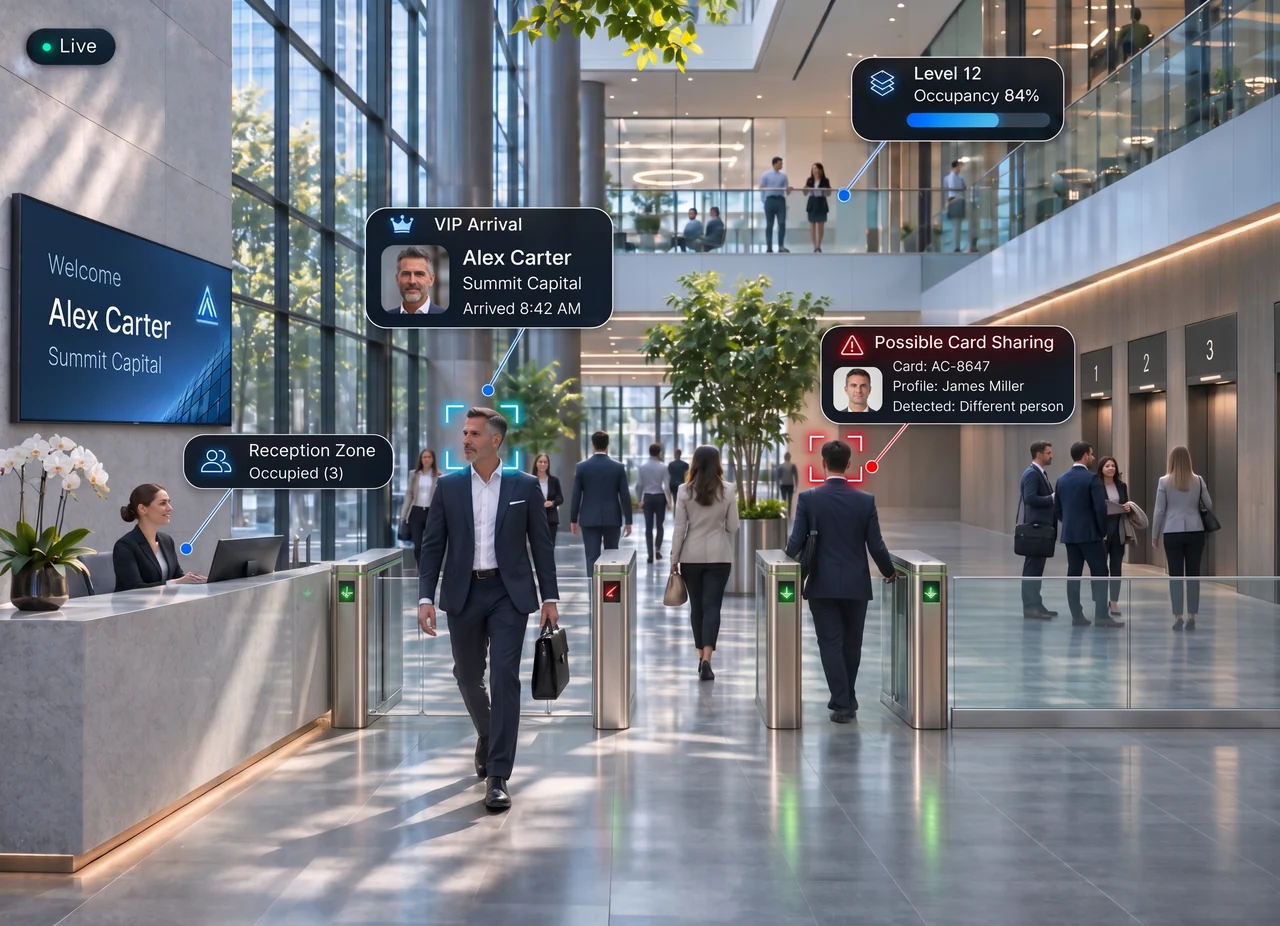
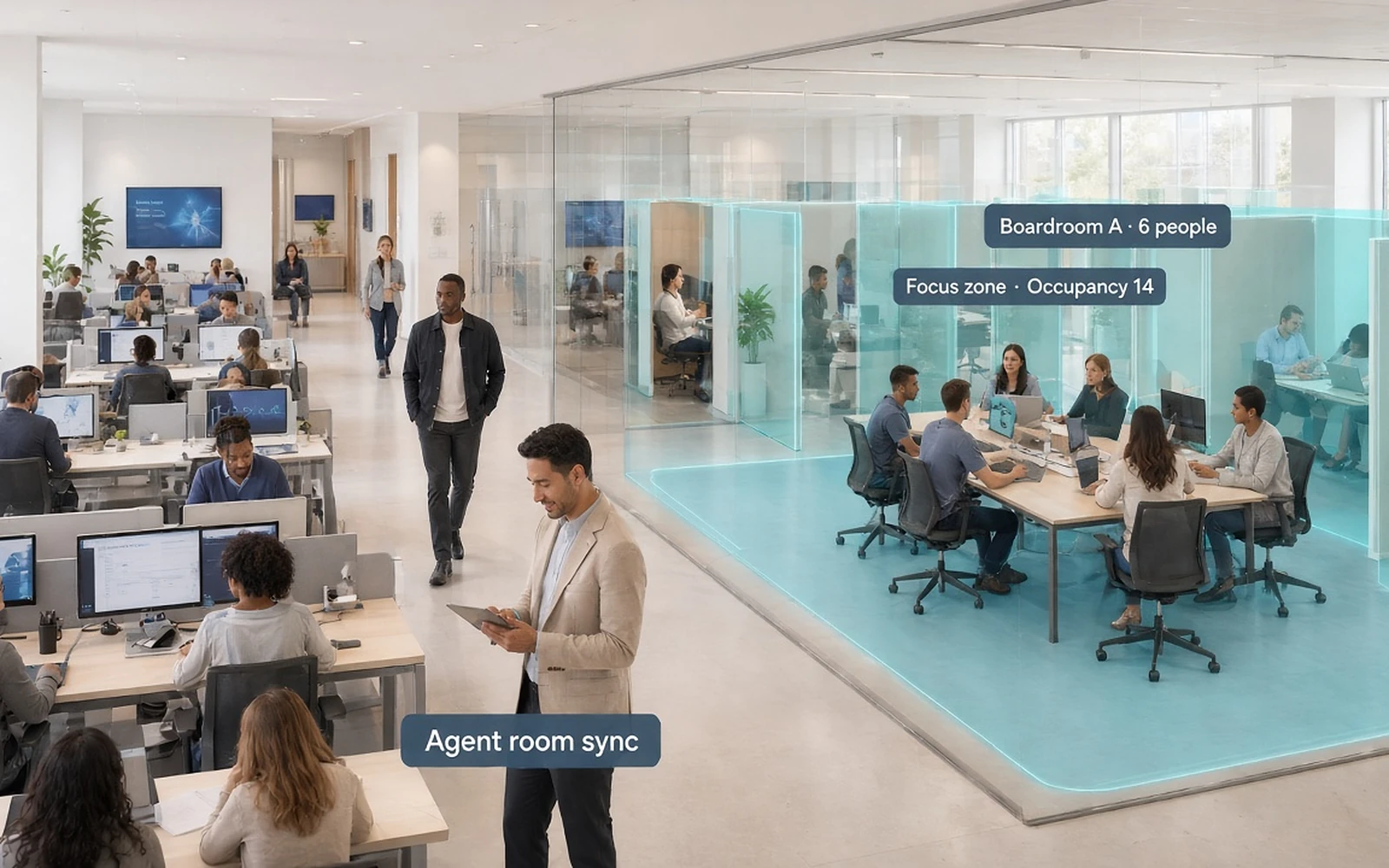
Existing lobby and corridor cameras watch busy turnstiles for credential sharing or tailgating while building an anonymous heatmap of collaboration booths and breakout areas. Workplace teams balance desk neighbourhoods and meeting-room calendars from live demand.
- Turnstile tailgating alerts
- Anonymous zone heatmaps
- Existing cameras retained
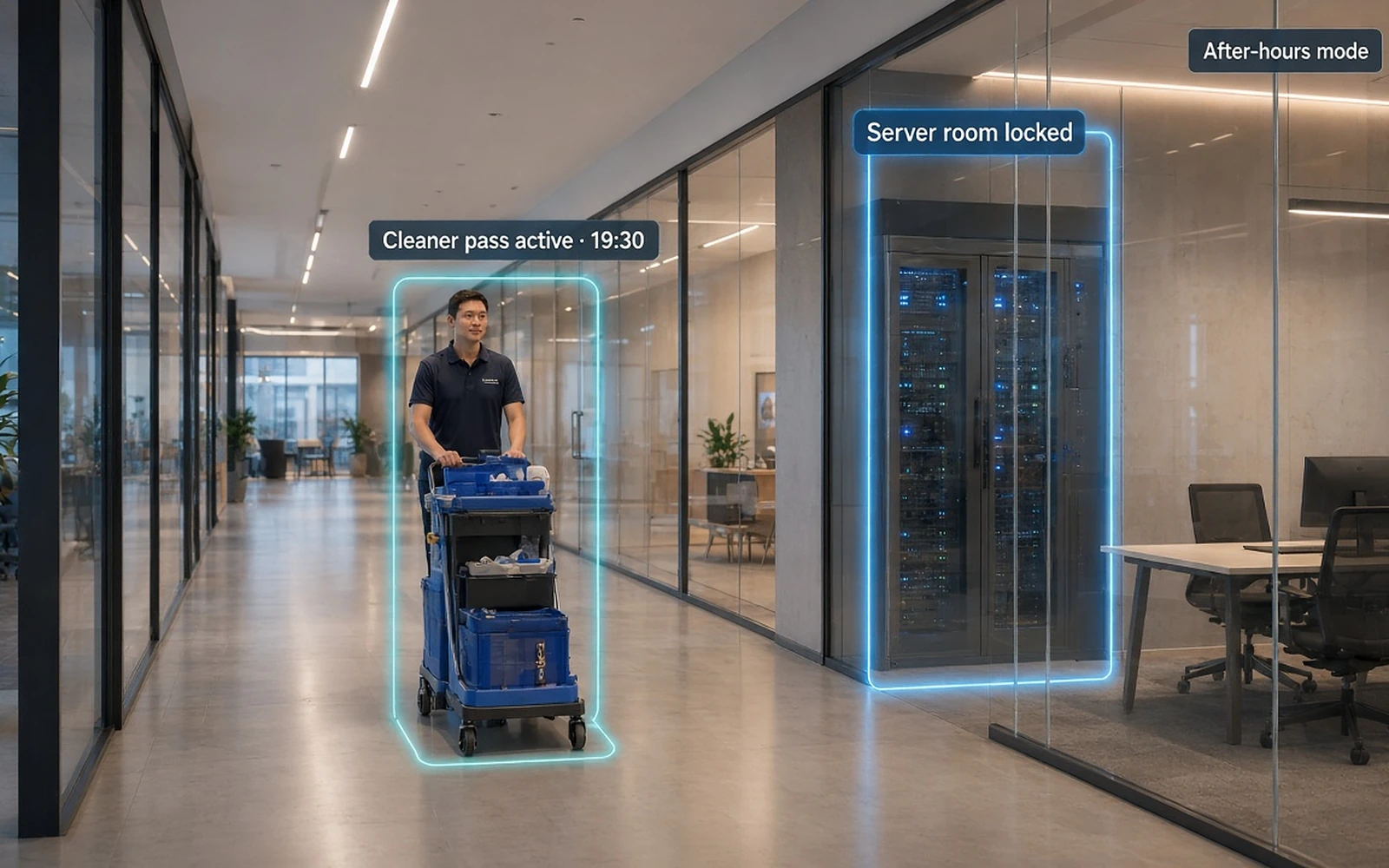
When reception closes, executive wings and comms closets require explicit role approval, while evening cleaners hold access limited to scheduled floors. If a late-working employee presses an under-desk duress button, security receives silent alerts alongside nearby camera clips.
- Role-scoped suite locks
- Silent under-desk duress
- Scheduled cleaner windows
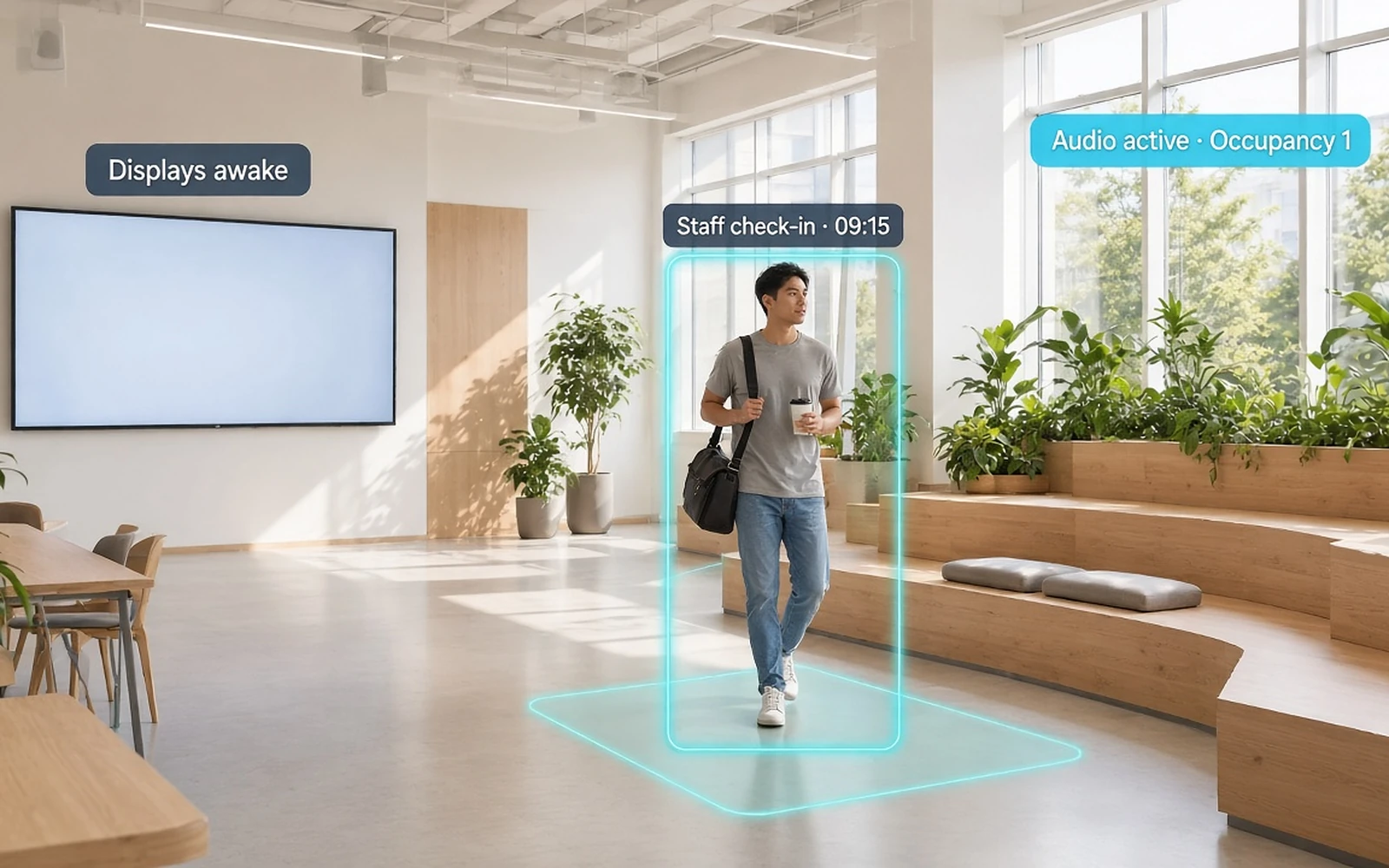
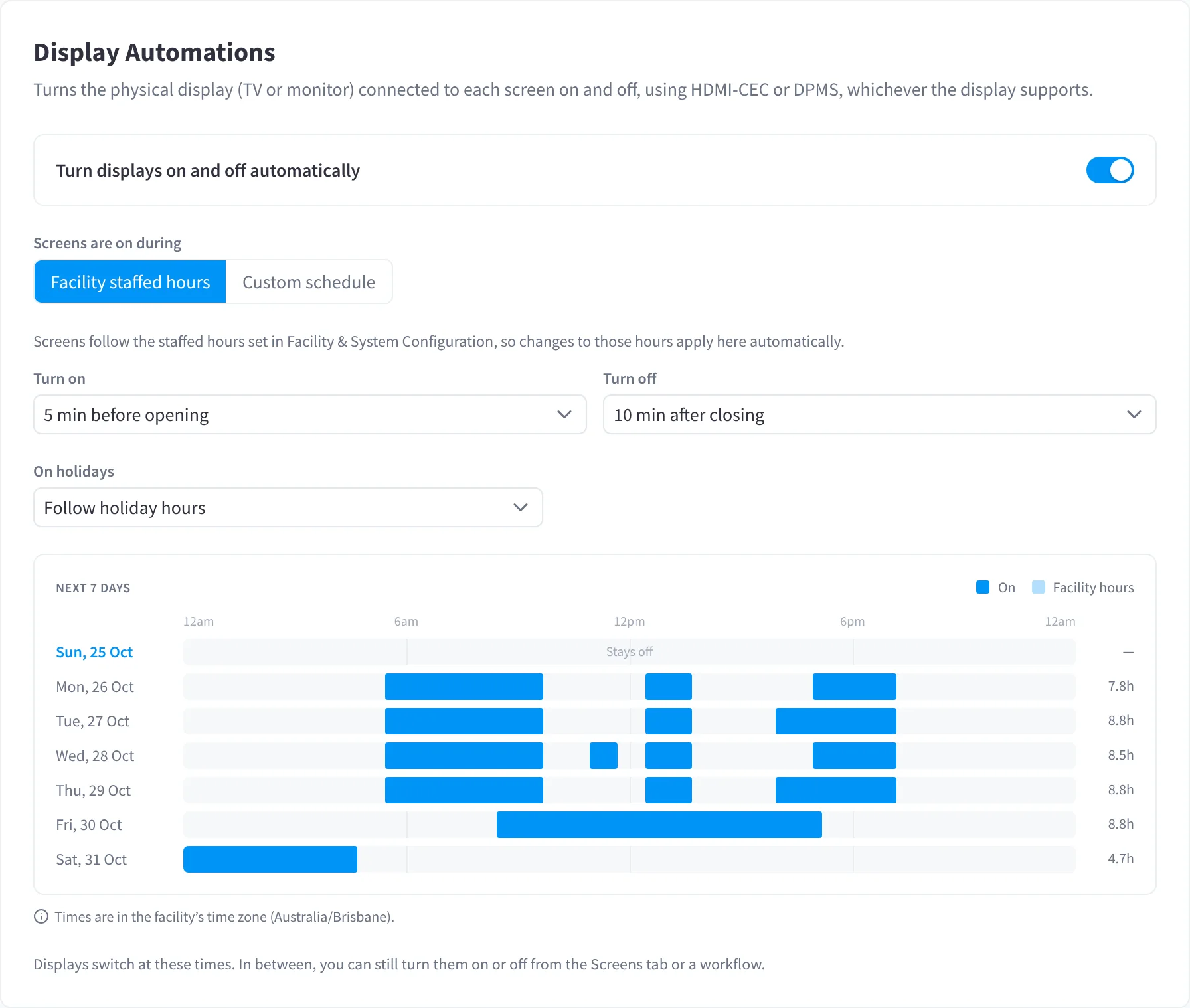
Rather than running wall displays and background audio across empty floors all weekend, screens and speakers stay off until an authorised employee unlocks the floor entrance, then power down cleanly once the space empties.
- Arrival-triggered displays
- Hours-driven lounge audio
- Lower weekend energy waste
Role & Contractor Access
Separate daily employee entry, cleaning shifts, and vendor visits.
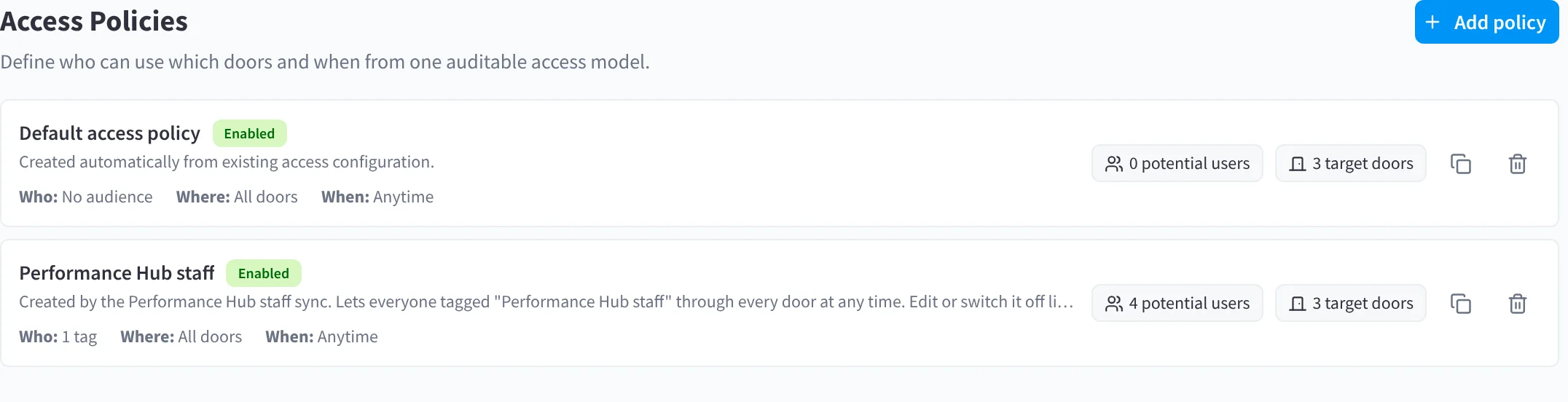
Keep front reception welcoming during office hours while locking comms rooms, finance suites, and executive corridors behind clear, allow-only door policies. Send new hires a one-tap Mobile invitation before day one, restrict evening cleaners to active shift hours, and give visiting trades temporary passes that expire automatically when the job wraps up.
- Unlock turnstiles, lifts, and garage gates from Mobile, watch, or in-vehicle screens
- Apply local public holidays automatically across regional offices
- Search complete entry trails whenever facilities audits a room or incident
Reception & Lone-Worker Duress
Discreet under-desk alarms for front desks and interview rooms.
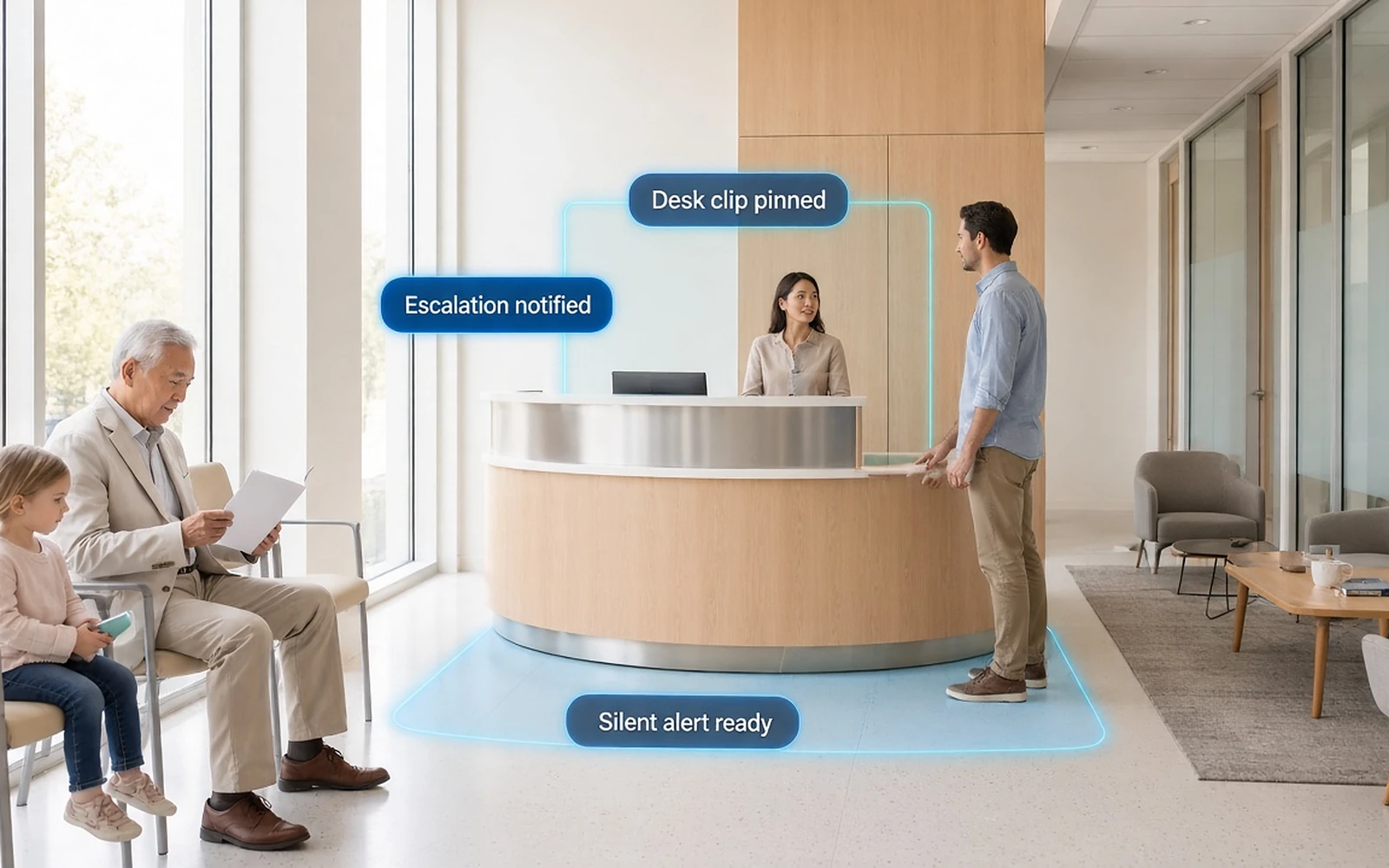
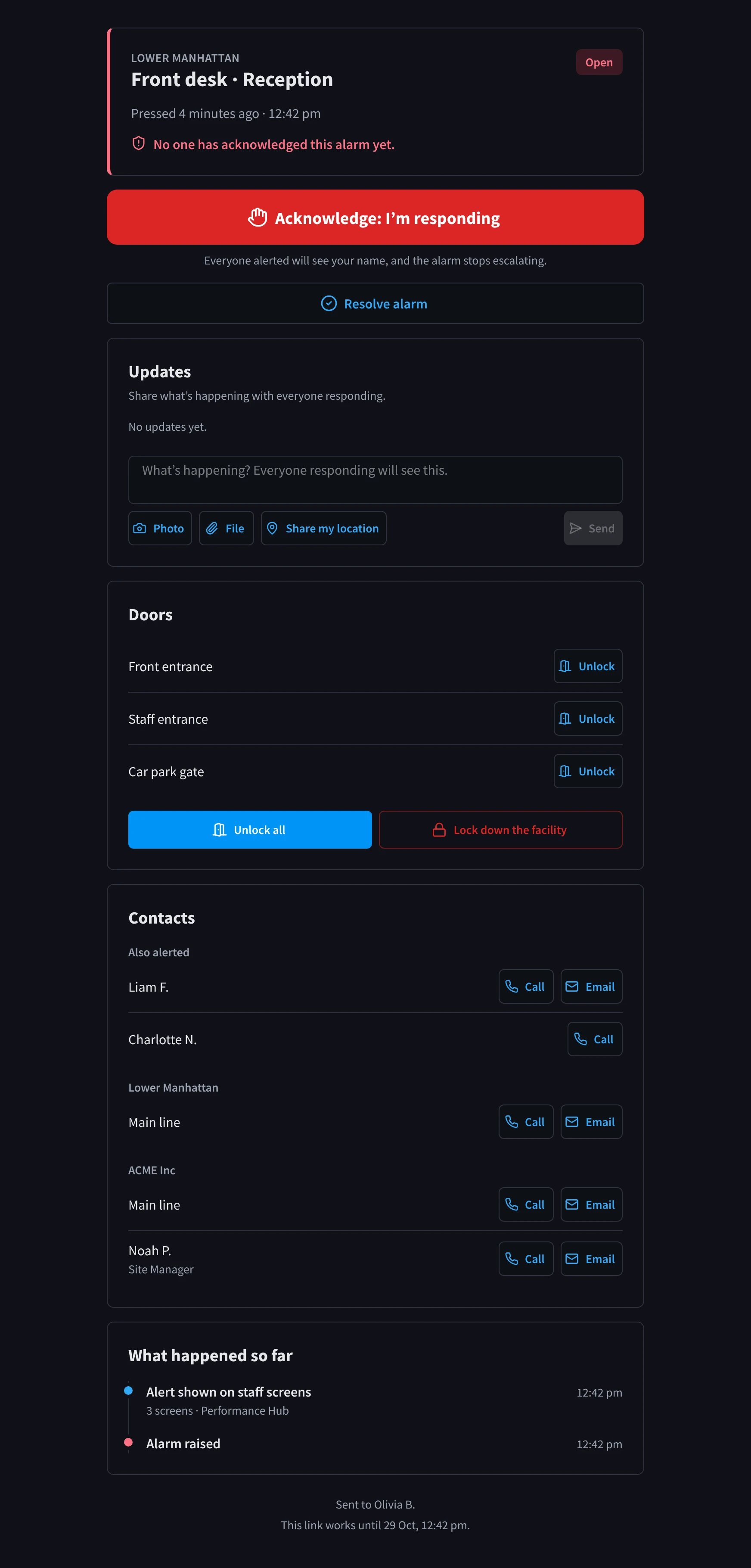
Reception desks and HR meeting rooms handle sensitive conversations every week. Place silent wireless duress buttons under counters and tables so a single press notifies internal security or escalation teams quietly across Mobile, chat, and voice calls, secures inner elevator doors, and preserves nearby camera footage without panicking the public foyer.
- Escalate alerts across Mobile notifications, team chat, voice calls, and monitoring teams
- Lock internal doors optionally while keeping public lobbies calm
- Schedule regular readiness checks so every office floor passes safety audits
Lobbies, Loading Bays & Bike Cages
Keep your existing cameras and gain searchable workplace visibility.
Bring existing lobby, car-park, and bike-cage cameras onto local edge storage that keeps recording through internet outages and syncs to your chosen storage region. Security teams jump straight to incidents using plain-language search, share expiring review links with landlords from any browser, and turn on optional footfall and tailgating analytics where policy permits.
- Search clips in plain language across reception, lifts, loading bays, and garages
- Review anonymous collaboration and breakout heatmaps to guide floor layouts
- Set strict per-office controls so your team governs notice, consent, and retention
Workplace Agent & Published Apps
Turn live occupancy and room calendars into instant workplace apps.
Workplace managers should not chase spreadsheets just to see meeting-room pressure or overdue contractor passes. Ask the Performance Hub Agent to combine your room calendars, directory records, and door events into live Published Apps pinned right in your sidebar, or push live room status and company updates straight to corridor Smart Displays.
- Build custom floor-occupancy, room-schedule, and audit apps through conversation
- Connect workplace calendars, chat channels, and HR directories with role permissions
- Run optional On-Premise Inference to keep sensitive corporate prompts inside your building
Designed For Corporate Accountability
One reliable standard from a single headquarters to regional hubs.
IT, workplace, and security leaders share one console with clear permissions, audit trails, and zero wasted hardware replacements.
Existing infrastructure
Keep your installed office cameras and locks
Connect existing network cameras, electric door strikes, commercial lobby screens, and ceiling speakers without tearing out cabling.
Continuous resilience
Doors and recordings work even offline
Local on-site hardware keeps door entry rules and camera recording running smoothly if external internet connections drop.
Verifiable governance
Every unlock, role change, and view logged
Security and audit teams trace who opened any door, who shared a clip, and every action taken across regional offices.
Workplace Platform Modules
Choose the capabilities each office floor needs.
Start with reception doors and lobby displays, then bring corridor cameras, duress buttons, and your workplace Agent onto the same directory.
Door & Gate Access
Staffed-hours lobby schedules, floor and server-room policies, expiring contractor passes, and Mobile, watch, and garage entry.
Display Screens & Smart Displays
Visitor reception boards, town-hall signage, meeting-corridor schedules, and instant emergency screen takeovers.
Duress
Silent under-desk buttons for reception and interview rooms with tiered alerts, door lockdown, and scheduled compliance drills.
CCTV / VSaaS & Computer Vision
Open-architecture corridor and garage surveillance with plain-language search, clip retention, and optional zone heatmaps.
Agent & Published Apps
Talk directly to room calendars, floor attendance, and door trails, and publish live operational dashboards in minutes.
Audio Control & Governance
Scheduled lobby and kitchen audio, single sign-on directory alignment, regional holiday calendars, and full audit logs.
Workplace Stack · Identity · Calendars · Chat · Building Hardware
Fits the workplace tools and lobby hardware your teams already use.
Sync staff directories, room calendars, workplace chat, and HR rosters with corridor cameras, lobby displays, and background audio.
 Google Workspace
 Microsoft 365
 Slack
 Google Calendar
 Notion
 Workday
Common questions.
Can employees, night cleaning crews, and visiting contractors follow different door schedules?
Yes. Define allow-only access policies by role, floor, and weekly shift, and issue date-bounded passes to contractors or auditors that deactivate automatically when their window ends.
Does a reception welcome screen expose confidential visitor or HR data?
No. You choose exactly what appears on lobby screens, typically a guest's first name, host, and meeting floor when they check in, keeping contact and HR details private.
What happens to door access and cameras if the office internet goes down?
On-site hardware stores access rules and video locally first, so staff still unlock doors and corridor cameras keep recording until connectivity returns.
Can regional offices run on their own local public holidays and hours?
Yes. Each office carries its own time zone, staffed hours, extended hours, and regional public holidays so doors, screens, and audio adjust automatically per city.
Who controls whether facial recognition is switched on in our offices?
Your organisation decides whether and where to enable people identification, and manages employee notice, visitor signage, and privacy compliance for each office.