Developers & PartnersNative MCP ServerPartner REST APIExternal Integrations
Build on Performance Hub with open APIs and native MCP.
Connect your own AI assistants over the Model Context Protocol, integrate operational software through the Partner REST API, and enable external integrations per facility.
Performance Hub is open and AI-native across every module. External AI clients can read and act across your facilities over the Model Context Protocol (MCP) strictly within the signed-in person's permissions; management, HR, and booking platforms sync through the versioned Partner REST API; and facility admins control third-party External Integrations and alarm monitoring centres per site.
- Model Context Protocol (MCP) server
- llms.txt & Markdown docs
- Versioned Partner REST API
- Live, Dry-Run & Read-Only keys
- Per-facility integration controls
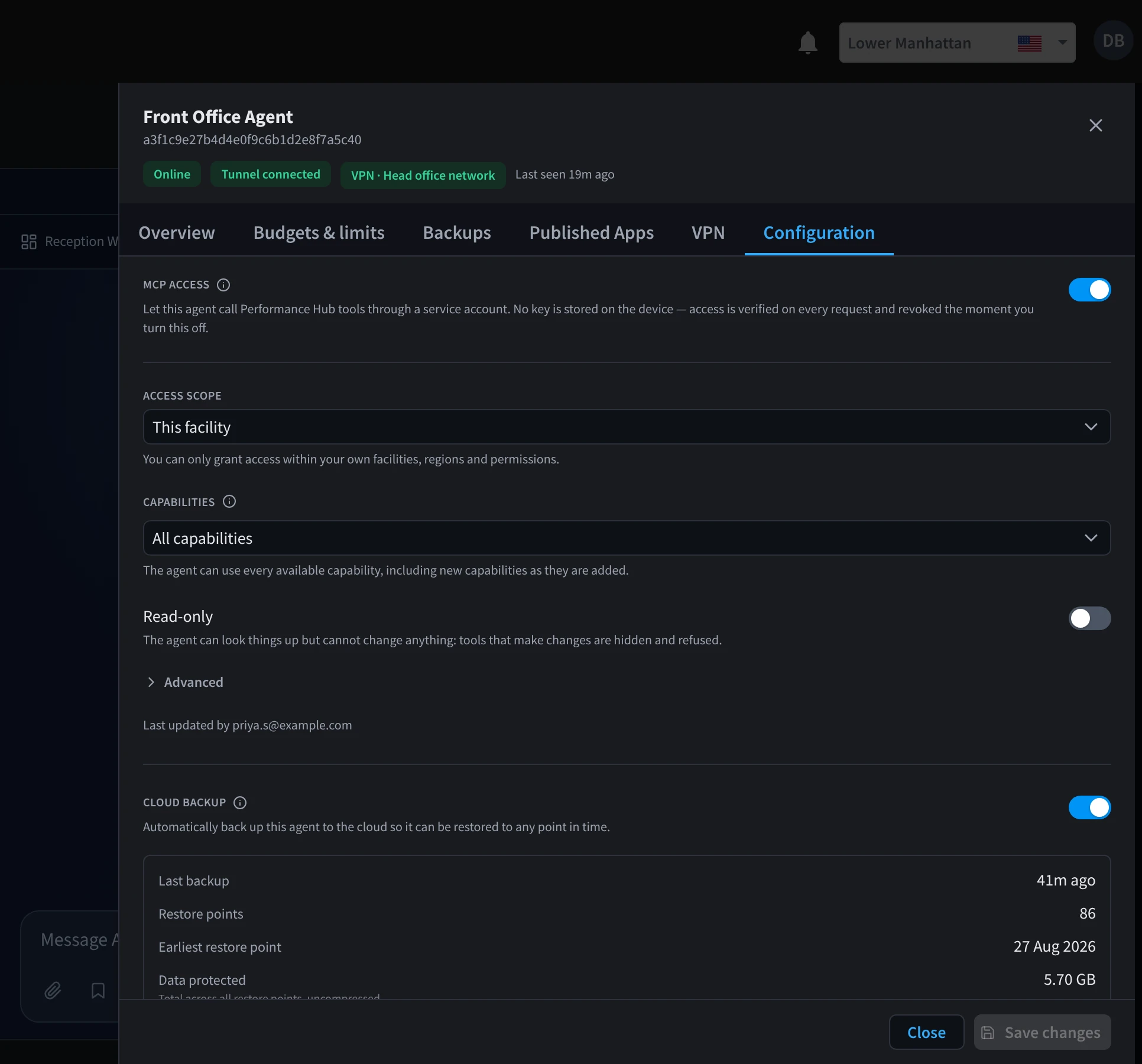
Model Context Protocol (MCP) · Scoped Capability Groups
User & Agent MCP ControlsModel Context Protocol (MCP)User-Scoped KeysFunctional Tool GroupsAI-Ready Docs
Drive every platform module from your own AI tools over MCP.
Separately from the built-in Agent, the entire Performance Hub platform is exposed over a native Model Context Protocol (MCP) server. Connect the AI coding tools, enterprise search assistants, and agent frameworks your team already uses so they can query data and run actions under each user's own Performance Hub roles and facility scope.
MCP Tool Groups Across the Platform
- Account & Facility
- Alarm Integrations
- Audio Control
- CCTV / VSaaS
- Computer Vision
- Connected Apps
- Device Management
- Display Screens
- Door & Gate Access
- Duress
- External Integrations
- Public Sites & Docs
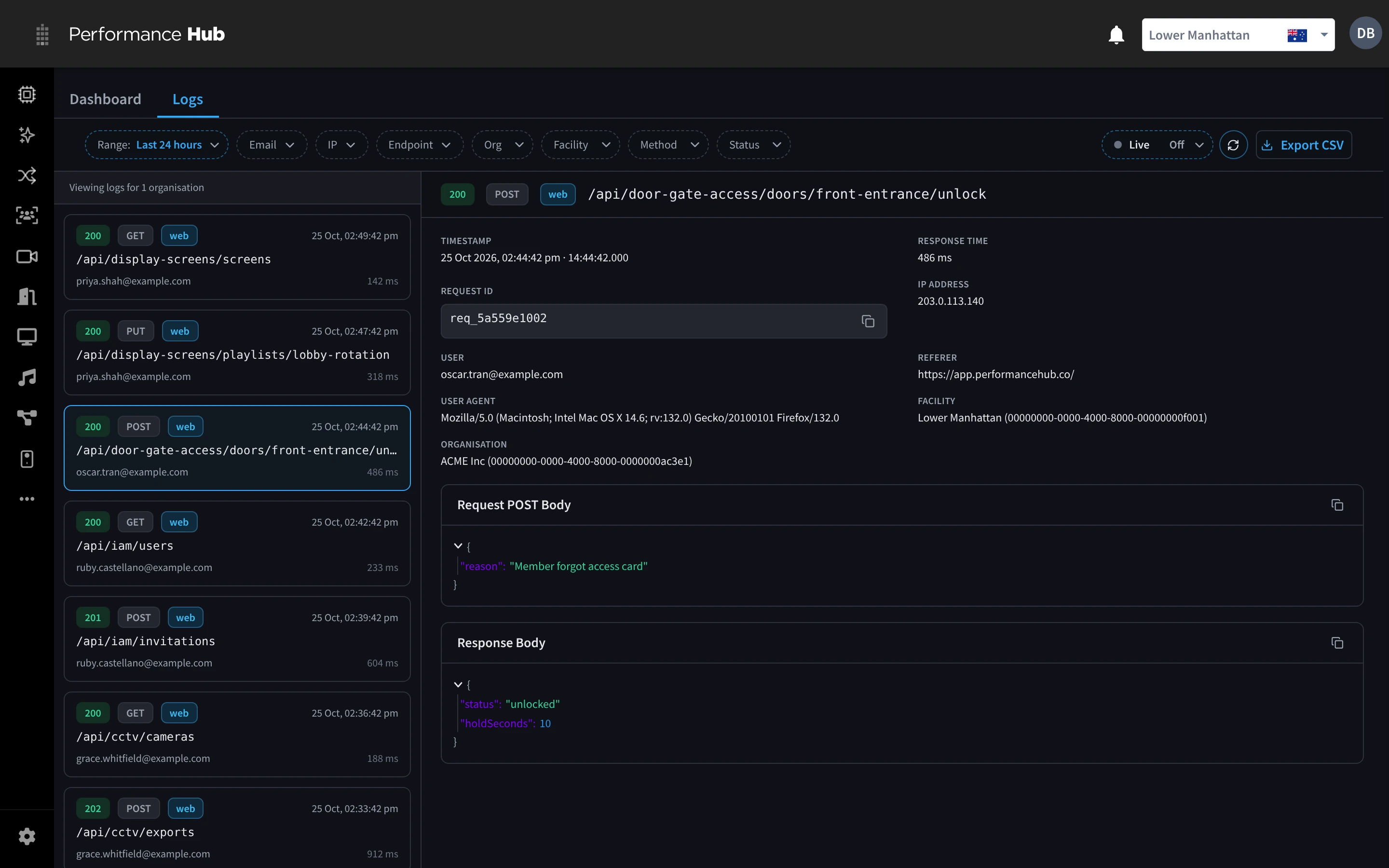
Audit Logs · Attributed MCP, API Key & Web Requests
Payload InspectionStep-by-step client guides for leading AI tools.
Supported MCP ClientsFollow our published setup guides to connect Cursor, Hermes, OpenClaw, Glean, Microsoft Copilot Studio, Salesforce Agentforce, Claude, or any standard MCP client in minutes.
Personal MCP keys vs. per-Agent service accounts.
Two Credential ModelsGenerate a personal MCP key from Search or jump to (MCP & API Keys) so external assistants never see or do more than you can in the UI. Separately, each Performance Hub Agent uses a device-bound service account with Read-only mode and per-tool toggles that remains stable when staff roles change.
Human confirmation gates on physical actions.
Server-Enforced SafetyEvery MCP call is verified centrally against your Organisation, Brand, Region, and Facility scope. Physical actions (such as unlocking a door, triggering a lockdown, or taking over venue screens) require explicit human confirmation and are attributed in Audit Logs.
AI-readable documentation (`llms.txt`, `llms-full.txt` & `.md`).
Built for AI Coding ToolsGive the entire Performance Hub documentation to your AI assistant: /llms.txt indexes every public guide with a summary, /llms-full.txt compiles the full documentation in a single file, and every docs page can be copied as Markdown or fetched by adding .md to its URL.
MCP Clients · OpenAI SDKs · Partner REST API · Developer Tooling
Connect your AI clients, SDKs, and engineering stack.
Drive every module from Cursor, Hermes, OpenClaw, Glean, Microsoft Copilot Studio, Salesforce Agentforce, or Claude over the Model Context Protocol (MCP), or build with Python, TypeScript, and the Partner REST API.
 Model Context Protocol (MCP)
 Cursor
 Microsoft Copilot Studio
 Claude
 OpenAI
 Python
 TypeScript
 Node.js
 cURL
 OpenAPI Initiative
 GitHub
 GitLab
 Bitbucket
 Linear
 Jira
 Vercel
 Supabase
 Cloudflare
 Datadog
 Sentry
Partner ProgramVersioned JSON REST APIPartner ConsoleLive, Dry-Run & Read-Only Keys
Integrate your CRM, booking, HR, or access platform via the Partner REST API.
The Performance Hub Partner API is a versioned, HTTPS-only JSON REST interface engineered for management platforms, access-rights systems, and enterprise IT teams syncing facilities, people, entitlements, check-ins, doors, and operational reports.
Organisations & Facilities
Hierarchy SyncList linked organisations and facilities, inspect facility metadata, and confirm which sites have enabled your partner integration.
People & Access Time Windows
Identity & EntitlementsCreate and update person records, contact details, access status, profile photos, and individual access time windows without overwriting admin-owned tags, notes, or manual grants.
Access Plans, Hours & Zones
Plans & ZonesSync access or membership plans tied to named Access Zones and weekly Access Hours schedules.
Check-Ins & Facility Reports
Attendance & SnapshotsPush attendance check-in records and operational or financial report snapshots to power facility analytics and Computer Vision self-learning correlation.
Doors, Status & Synchronous Unlock
Physical Access ControlList Door & Gate Controllers, query live controller health, record external access attempts or denials, and trigger synchronous door unlocks with physical relay confirmation.
Partner Console & Key Lifecycle
Live · Dry-Run · Read-OnlyProvision HTTP Basic API keys in Live, Dry-run (validates requests without writing data), and Read-only modes, inspect last-used timestamps, rotate or revoke keys immediately, and work through the guided Going-Live Checklist.
Clear door-unlock responsibility boundary.
Standalone vs. Partner-IntegratedWhen a site operates doors through our Door & Gate Access app, Performance Hub evaluates access status, hours, zones, and geofencing. When a partner builds unlock controls into their own app and calls the Partner API unlock endpoint, the partner system is the authority for the access decision while Performance Hub verifies the key, facility enablement, and door ownership and fires the controller relay.
Safe field ownership & adjustable throughput.
Production GradeInbound people syncs update only partner-owned fields (name, contact, type, access status) while preserving administrator-owned switches, custom tags, and notes. Need higher throughput for an initial migration or reporting backfill? Your partner account manager can adjust rate limits for your deployment window.
Facility External IntegrationsStaged Monitoring CentresOpenAI-Compatible Model Router
Customer-controlled per-facility integrations, monitoring centres, and AI routing.
External connections are off by default at every facility until an authorised administrator turns them on, and can be switched off at any time.
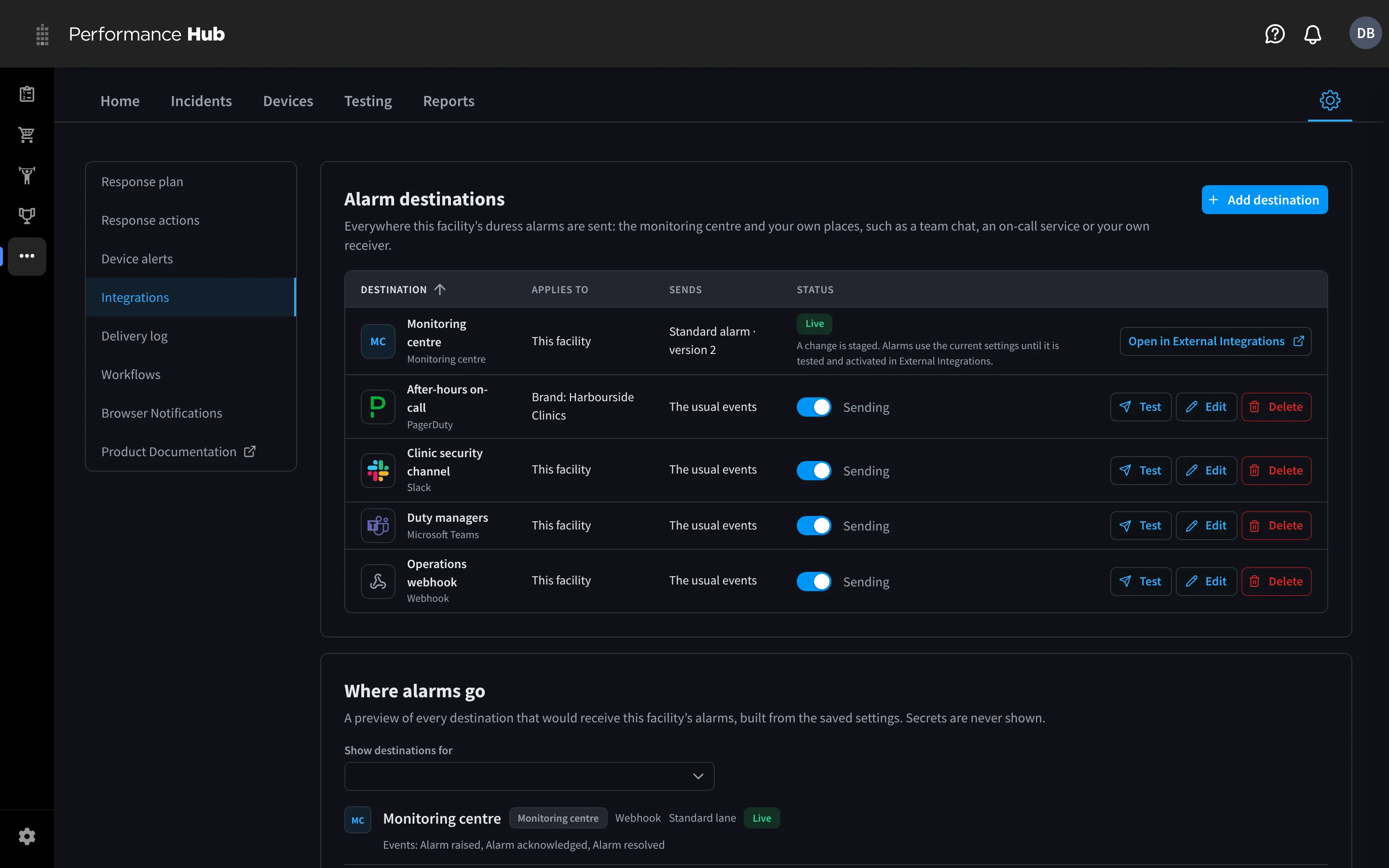
External Integrations · Monitoring Centre Onboarding & Staged Changes
Send Test Signal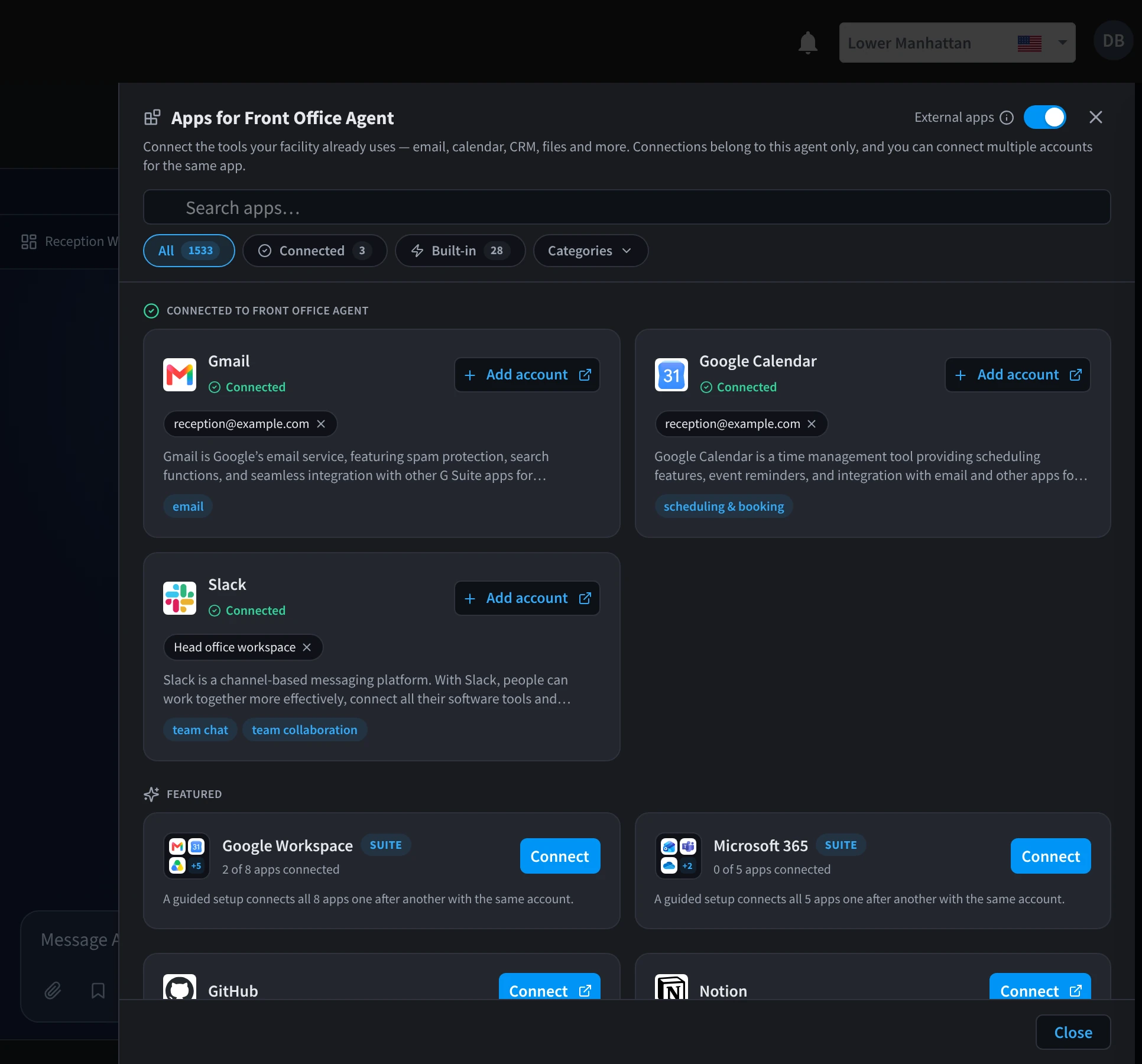
Connected Apps Directory · 1,500+ Business Connectors & Kill Switch
Per-Agent ScopedPer-facility External Integrations switchboard.
External Integrations SettingsBrowse integrations by category, toggle each connection on or off per facility, and save masked configuration fields. Requests or people syncs from a partner against a facility where that integration is disabled are rejected automatically.
Three-step monitoring centre setup & staged changes.
Alarm MonitoringConnect 24/7 alarm monitoring centres across Monitoring service, Organisation, and This facility steps, verify delivery with Send test signal before going live, apply across multiple sites, and stage changes so active Duress alarms keep using your proven settings until the new setup is tested.
OpenAI-compatible Model Router for your own code.
AI Model RoutingPoint standard OpenAI SDKs (Python, TypeScript, Node.js, or cURL) at the Model Router using a scoped phk_ key to call frontier and open-weight models, use auto complexity routing or BYO API keys, enforce spend caps and PII guardrails, or route to On-Premise Inference.
1,500+ Agent Connected Apps & Enterprise Directory.
Business EcosystemLink Google Workspace, Microsoft 365, Xero, Stripe, Shopify, HubSpot, Jira, and 1,500+ business apps to your Agent with an instant External apps kill switch, or connect Active Directory and enterprise directory integrations (Enterprise, POA) on the Identity, roles & audit logs page.
Common QuestionsDevelopers, MCP & Partner API
Common questions.
Answers on choosing between MCP, the Partner REST API, and the Model Router, plus API key safety and AI-readable documentation.
When should we use the Partner REST API versus the MCP server?
Use the Partner REST API when integrating a CRM, booking, HR, or access-management system to sync organisations, facilities, people records, access plans, check-ins, door unlocks, and report snapshots. Use the Model Context Protocol (MCP) server when connecting an AI assistant or coding client (such as Cursor, Hermes, OpenClaw, Glean, Copilot Studio, Agentforce, or Claude) to query and operate Performance Hub modules interactively under a signed-in user's permissions.
How are Partner API keys and per-facility integrations secured?
Partner API authentication uses HTTP Basic API keys available in Live, Dry-run, and Read-only modes, with instant key rotation and revocation. Crucially, partner access is off by default at every site: a partner API key can only read or push data for facilities where an administrator has explicitly enabled that integration in External Integrations.
Can an external MCP client exceed a user's permissions or trigger physical actions silently?
No. A personal MCP key is strictly bounded by the signed-in owner's Performance Hub roles and facility scope, enforced centrally on every call. Physical actions such as unlocking a door, triggering a lockdown, or taking over display screens require human confirmation, and every MCP request is recorded in Audit Logs.
How can our AI coding tools read the Performance Hub documentation?
Every public guide on docs.performancehub.co is available as clean Markdown by clicking Copy page at the top of the guide or appending .md to its URL. You can also point AI tools at /llms.txt (an index of every page) or /llms-full.txt (the complete documentation in one file).