No keys. No fobs. Just you.
People tap to unlock from their phone or watch, while access status, operating hours, and location decide who gets in automatically. No separate access product, no second people database, no double admin.
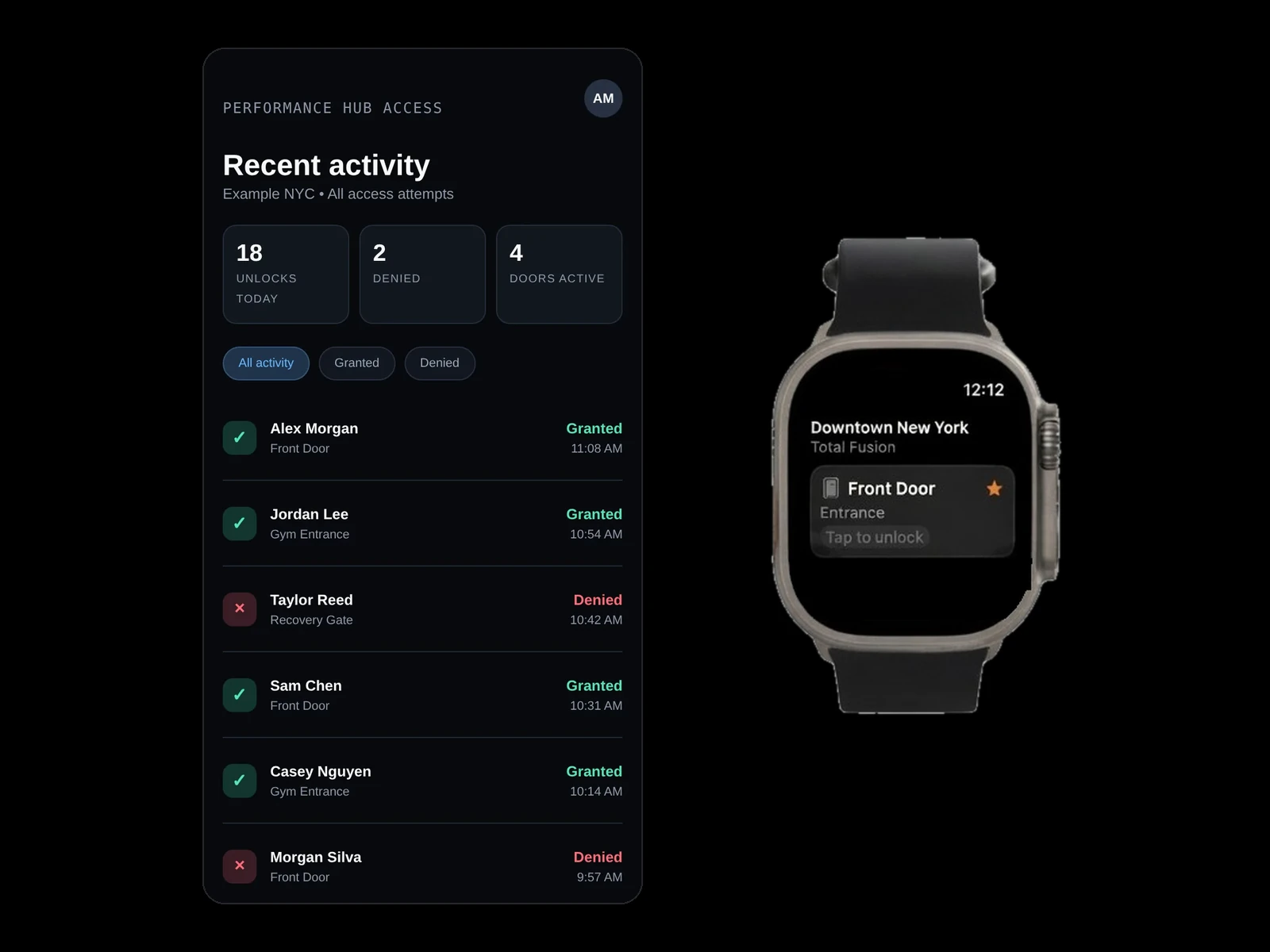
Tap to unlock, everywhere
Native iPhone and Android apps, Apple Watch and Wear OS, lock-screen widget, and Control Centre. Nothing to hand out and nothing to take back.
Access that manages itself
Your people and their permissions sync straight to Performance Hub, so access that has lapsed means the door stays locked without anyone doing anything.
Every unlock audited
A complete log of who opened which door, when, from where, and why it was allowed.
You set the rules. The platform enforces them.
Because your people already live in Performance Hub, it knows who belongs where. Every unlock is checked in real time against access status, rules, operating hours, and location.
Just arrive, tap, and walk in
One tap opens any door or gate, with a hold-time countdown until it re-locks. People sign in with a one-time code, so there are no passwords and no sign-up friction, and App Lock with Face ID keeps access private.
Access follows the person
Smart switching picks the nearest facility as people arrive, so doors and operating hours stay in sync across every site. Everyone gets their own history of entries with timestamps and door names.
Rules, scopes, and exceptions
Decide who can unlock which doors or gates during which hours, by person type, by tag, or by individual grant. Group doors and gates into scopes with their own policies.
Geofencing and instant cut-off
Require people to be physically on site before a door will open, with per-door exceptions, and cut off any user instantly with the access override switch. Location checks stay on the device.
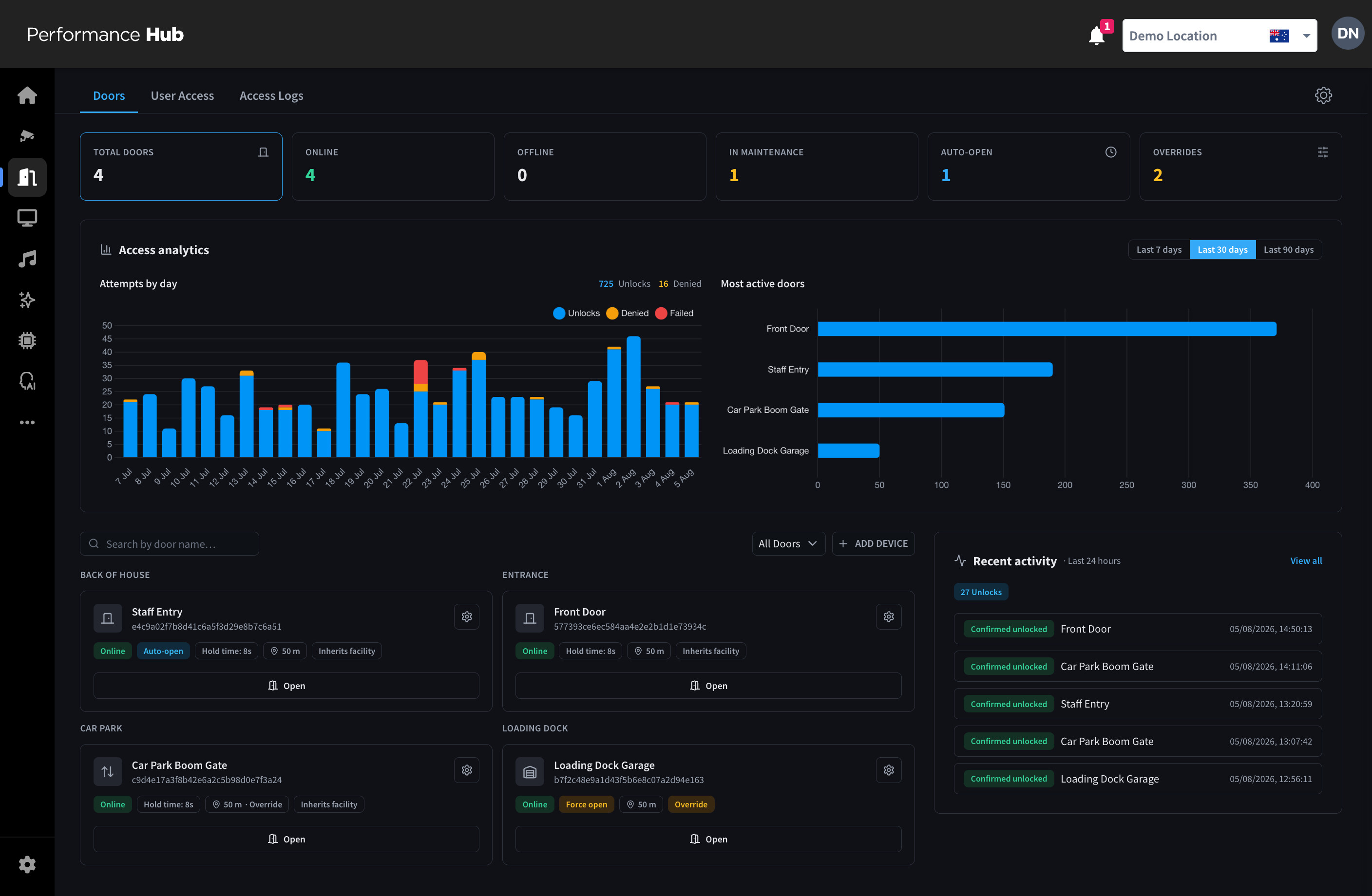
Door status at a glance, access analytics by day, remote open controls, and every unlock confirmed in the activity log.
From keys and fobs to phones.
01
Fit the controllers
Door and gate controllers pair to Performance Hub and report their own health.
02
Sync your people
Your existing people data drives access. There is no second database to maintain.
03
Set the rules
Define scopes, hours, person types, and geofencing requirements per door.
04
People download the app
A one-time code signs them in, and the first tap opens the door.
How it holds up
Full audit and export
Every attempt, whether successful, denied, or failed, is logged with who, which door, when, from where, and why. Export to CSV and watch door analytics per site.
Remote control
Unlock or identify any door remotely, and see controller status without driving to site.
In-app messaging
Reach people in the same app they use to get through the door.
Pairs with Computer Vision
Match every entry to a verified identity: the tap on the door, and the person who actually walked through it.