Hundreds of models. One prepaid balance.
Prepaid access to a catalog of leading AI models through one OpenAI-compatible endpoint. Your Agents connect automatically with no setup, and your own software connects with an API key. Top up a balance, set the limits, and watch every request in real time.
No subscription to carry
You top up a balance and usage draws it down at each model's per-token price. There is no recurring AI charge beyond what you actually use.
Your agents arrive connected
Agent devices paired with your facility connect automatically. No API key is ever created, copied, or entered on the device.
Spend you can bound
Daily, monthly, and lifetime caps across the account, with tighter limits per key and per agent on top. A hit cap blocks requests, independent of the balance.
Every model. One place to run them.
Models from more than 80 providers, all enabled by default. Narrow the catalog with one-click presets, cap what any key or agent can spend, and see every request as it lands.
A catalog, not a contract
Models from many providers, each with its context size and per-million-token pricing beside it. Turn any model on or off for your facility, or apply a preset in one click: frontier labs, Western providers, open weights, or budget models.
The Auto Router picks the model
Send requests to auto and each one is routed to the best model for the prompt's complexity. Simple work goes to fast, cheap models and hard tasks get the strongest ones, billed at the rate of the model it picks. You choose what each tier routes to.
Works with anything that speaks OpenAI
Point any OpenAI SDK, framework, or tool that accepts a custom endpoint and key at Performance Hub and it just works - streaming, model listing, and the same request and response shapes your code already uses.
When a model fails, the request doesn't
Supply an ordered fallback list and a failed model retries on the next one, transparently. The reliability analytics - error rate, p95 latency, and per-model tables - show you which model is misbehaving before your users do.
Limits that fail safe
Set caps for the account, then tighter ones per key and per agent. A hit limit blocks exactly what it covers and tells the caller when the window resets. Everything else keeps working.
Guardrails before the model
A router moves your prompt on. This one protects it first: mask personal data, strip secrets, and block prompt-injection attempts before anything leaves for the model, with your own filters on top for whatever is specific to your business.
Every request accounted for
Model, tokens, cost, speed, and status for every request, live in the logs and rolled up in the analytics. The figures you see are the same figures used for enforcement, so what reads as a limit is exactly what gets blocked.
Choose whose hardware sees your data
Filter the catalog by region, apply the Western-providers preset in one click, and restrict any key or agent to exactly the models you trust. Data sovereignty is a setting here, not a negotiation.
The logs record the meter, never the conversation.
Two ways in. One balance.
Everything that uses the Model Router draws from the same prepaid balance, respects the same account limits, and lands in the same logs, whether it is an agent that connected itself or software you wrote.
Your Agents
- Agent devices paired with your facility connect automatically. There is nothing to configure.
- No API key ever exists on the device. Each agent authenticates with short-lived credentials that rotate automatically.
- Give each agent its own spend caps, rate limits, model list, and guardrail overrides.
- When an agent hits its limit, only that agent pauses. The rest of the facility keeps working.
Your own software
- Create an API key and point any OpenAI-compatible SDK or tool at the endpoint.
- One key per system, each with its own label, so every request is attributable.
- Per-key spend caps, rate limits, and model restrictions, changed in moments.
- Rotate a key on suspicion of a leak, revoke it to pause a system, delete it when the integration is gone.
Three ways to buy AI for your business.
You can open an account with every lab, or hand the problem to an aggregator - and wire the keys into every tool either way. Or you can run it all through the platform that already runs your site.
01
An account per provider
A subscription or card with each AI lab, a dashboard for each, and keys wired into every tool by hand. Nobody has a single view of what the business spent, and a leaked key means finding it first.
02
A model aggregator
Genuinely good at putting hundreds of models behind one API for developers. It is still another vendor account with its own card and keys to manage, it has no idea what an agent, a facility, or a per-device budget is, and it cannot mask personal data before a prompt leaves - or run a model inside your building.
03
Performance Hub Model Router
One prepaid balance inside the platform that already runs your site. Your agents connect themselves, your software brings a key you can bound and rotate, guardrails run before the model - and when you need it, the model itself can run on your own hardware.
Go further: inference inside your four walls.
The catalog runs in the cloud. It doesn't have to. When you want inference on site, we supply and manage the hardware - from a single Station-class node to full racks. Your agents route to models running in your own building, and the prompts never leave it.
Your own inference hardware
A node sized for the job, supplied and managed by us, running on your premises. Requests from your agents route straight to it.
Open-weight frontier models
The leading open-weight models - the same GLM and Kimi class the catalog serves from the cloud - running where your data lives.
The same logs and rules
On-premise requests land in the same logs and analytics as everything else - metered in tokens rather than credits, because you own the hardware. One system, wherever the model runs.
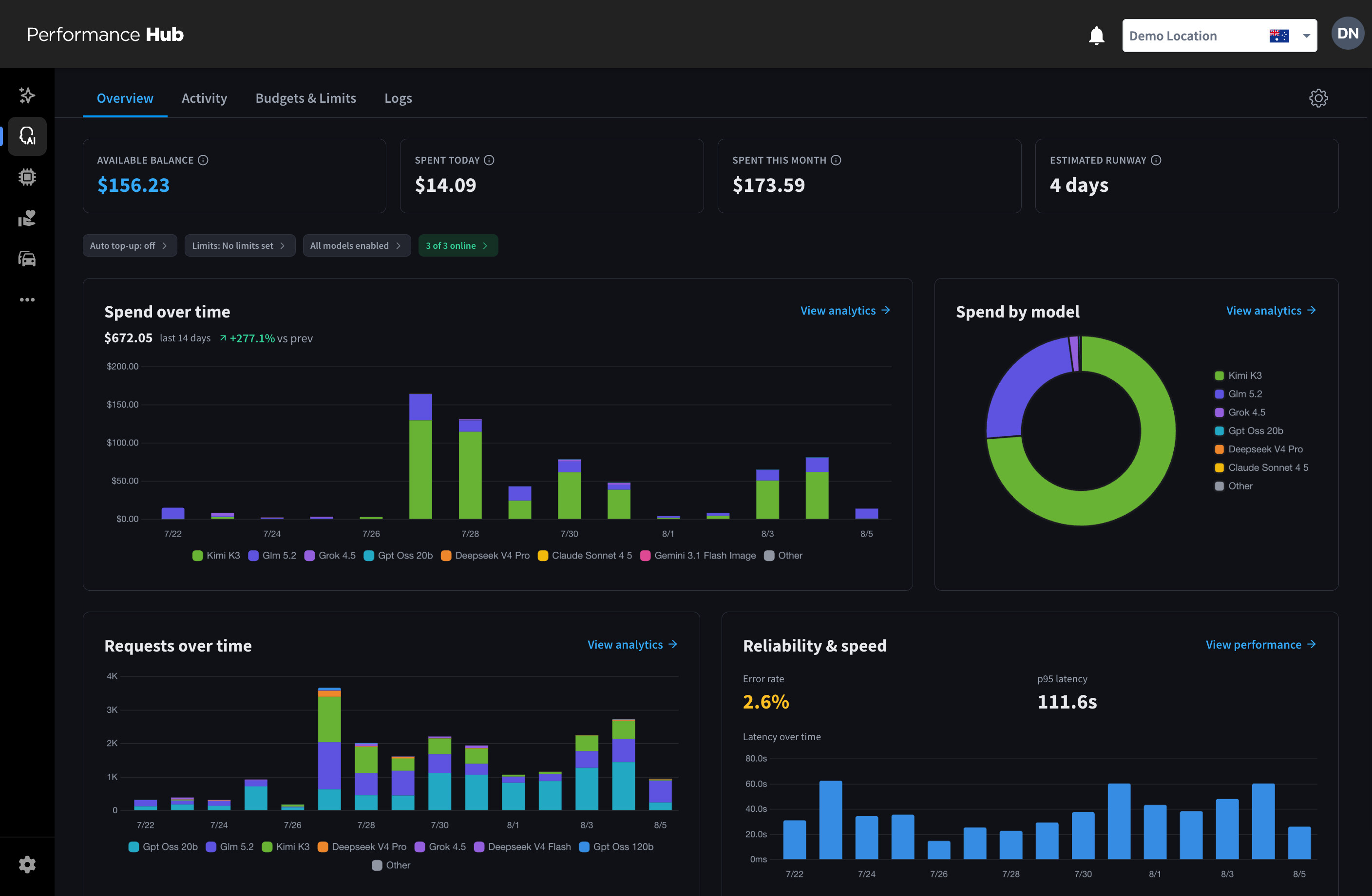
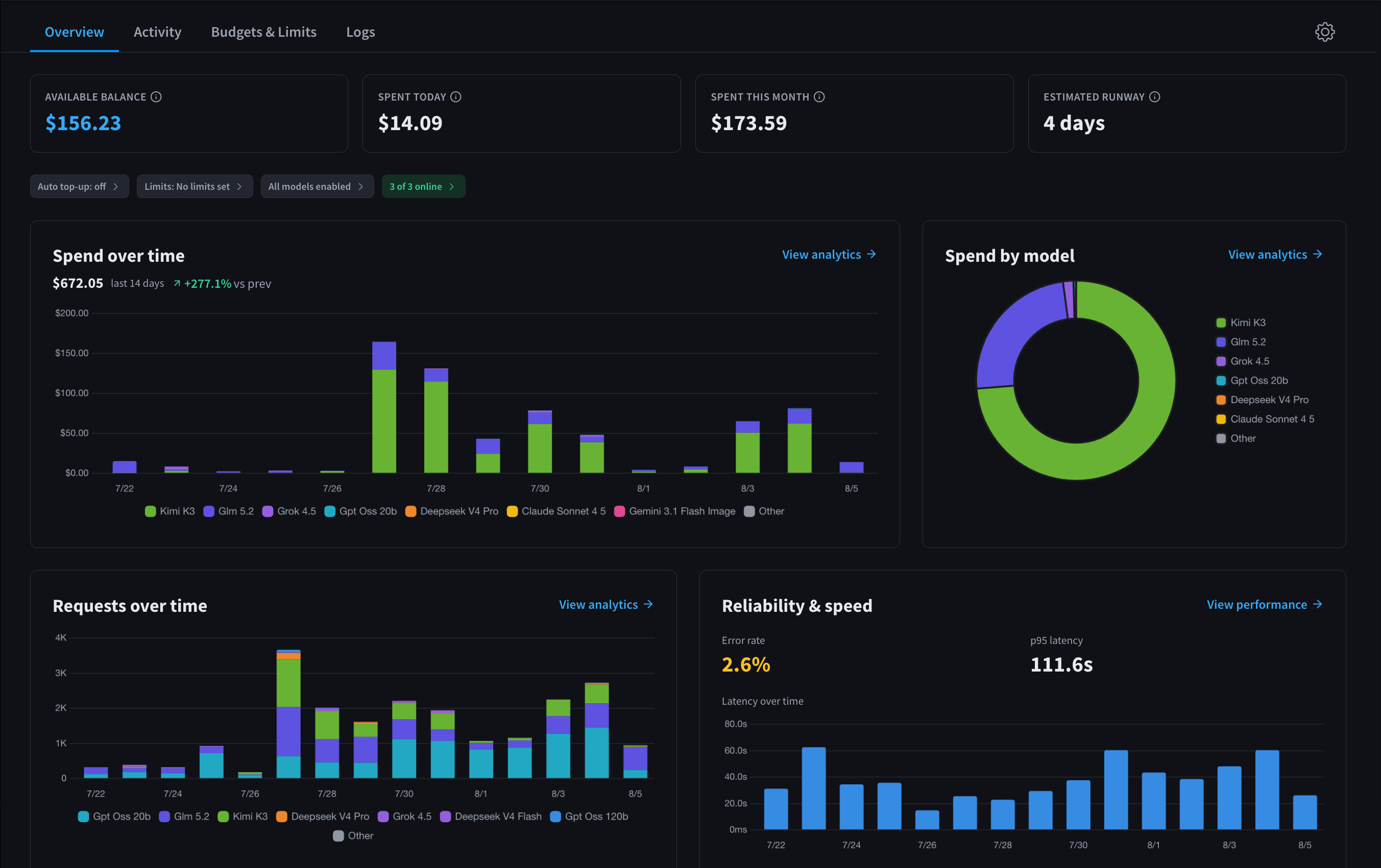
Balance, spend over time, spend by model, request volume, and reliability at a glance, with drill-downs into analytics and logs.
From nothing to a working request.
01
Enable the module
One click provisions a secure inference key for your facility. It takes seconds.
02
Top up the balance
Pick an amount and charge your stored card. Turn on auto top-up so requests never stop because the balance ran out.
03
Connect something
Paired Agents are already connected. For your own software, create a key and point it at the endpoint.
04
Verify in the logs
Your first request appears within moments, with its model, tokens, and cost.
The fine print, up front
Prepaid, not billed later
The balance moves down as usage accrues and up when you top up. At zero, requests are blocked until you top up. Nothing is lost, and everything resumes within moments of a credit.
Limits are policy, the balance is money
Spend limits block requests when a cap is reached, whatever the balance says. Daily and monthly windows reset themselves; the lifetime hard cap resets only when a human decides to continue.
Receipts and a ledger
Every top-up carries a receipt number and a downloadable PDF, and every balance movement is a ledger row: top-ups, usage, refunds, and adjustments, with the balance after each.
Privacy by design
The logs record model, tokens, cost, latency, and status. Prompt and response content is never stored, and guardrails scan in transit only.
Per facility
Balances, limits, models, and keys are configured for each facility, so every site has its own wall around spend.